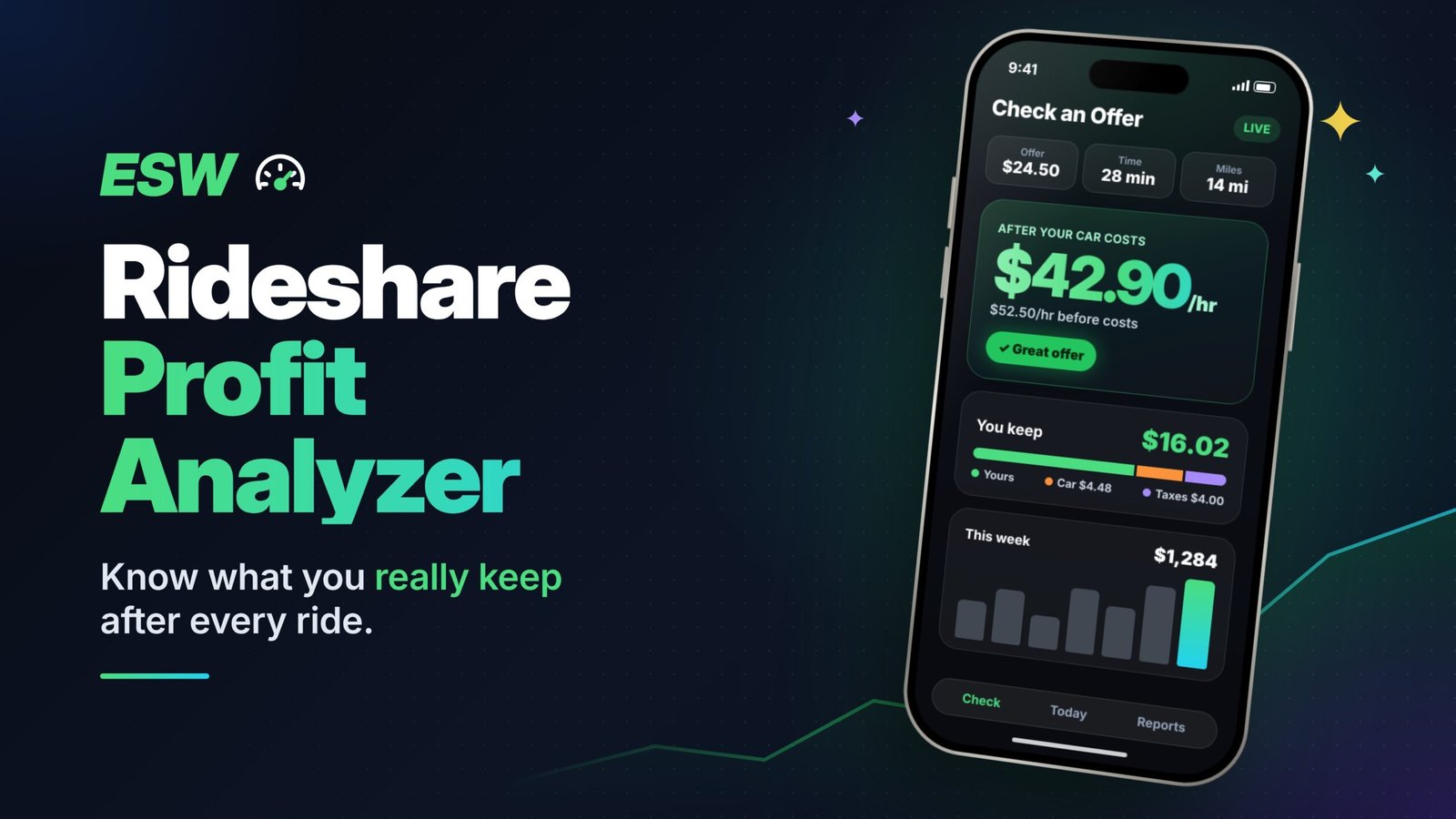
ESW Rideshare Profit Analyzer
Evaluate rides, track your workday, and understand your real rideshare profitability from your own data.
The better you learn to use it, the better you'll understand your rideshare business.Entre mejor aprendas a usarla, mejor vas a entender tu negocio de rideshare.
Making $300 a day doesn't necessarily mean you're making good money if you don't know your true cost per mile. Revenue is not profit. If you don't know what it really costs to run your car, you could be working long hours for far less than you think.Ganar $300 al día no necesariamente significa que estés ganando buen dinero si no conoces tu verdadero costo por milla. Ingresos no son ganancias. Si no sabes cuánto te cuesta realmente operar tu auto, podrías estar trabajando muchas horas por mucho menos de lo que crees.
Stop guessing. Start calculating. Know your numbers. Make smarter decisions.Deja de adivinar. Empieza a calcular. Conoce tus números. Toma mejores decisiones.
Because in rideshare, it's not just about how much you make. It's about how much you actually keep.Porque en rideshare no se trata solo de cuánto ganas. Se trata de cuánto te quedas de verdad.
Swiss Army is a registered trademark of Victorinox AG. ESW is not affiliated with or endorsed by Victorinox.Swiss Army es una marca registrada de Victorinox AG. ESW no está afiliado ni respaldado por Victorinox.
Your data stays yours. Your rideshare information is stored locally in this browser. ESW does not receive or have access to your saved rides or workday data.
THE ULTIMATE SWISS ARMY KNIFE FOR RIDESHARE DRIVERS!¡LA SWISS ARMY KNIFE DEFINITIVA PARA CONDUCTORES DE RIDESHARE!
The better you learn to use it, the better you'll understand your rideshare business.Entre mejor aprendas a usarla, mejor vas a entender tu negocio de rideshare.
Making $300 a day doesn't necessarily mean you're making good money if you don't know your true cost per mile. Revenue is not profit. If you don't know what it really costs to run your car, you could be working long hours for far less than you think.Ganar $300 al día no necesariamente significa que estés ganando buen dinero si no conoces tu verdadero costo por milla. Ingresos no son ganancias. Si no sabes cuánto te cuesta realmente operar tu auto, podrías estar trabajando muchas horas por mucho menos de lo que crees.
Stop guessing. Start calculating. Know your numbers. Make smarter decisions.Deja de adivinar. Empieza a calcular. Conoce tus números. Toma mejores decisiones.
Because in rideshare, it's not just about how much you make. It's about how much you actually keep.Porque en rideshare no se trata solo de cuánto ganas. Se trata de cuánto te quedas de verdad.
Swiss Army is a registered trademark of Victorinox AG. ESW is not affiliated with or endorsed by Victorinox.Swiss Army es una marca registrada de Victorinox AG. ESW no está afiliado ni respaldado por Victorinox.
WHAT’S NEWThe latest improvements in this version
FREE FEATURES IN THE WORKSNew free tools we’re working on
These are ideas we're working on. Plans can change: we can't promise every one will be released, or when, and some may end up as Pro features instead of free ones.Estas son ideas en las que estamos trabajando. Los planes pueden cambiar: no podemos prometer que cada una se publique, ni cuándo, y algunas podrían terminar siendo funciones Pro en vez de gratis.
Tap any feature to see what it does.Toca cualquier función para ver qué hace.
Earnings before vs after costs chartGráfica de ganancias antes y después de costosWhat is this?¿Qué es esto?
One picture that says it all: what Uber and Lyft paid you next to what you actually kept after your car costs, by day, week, month or year. The gap between the two lines is the part most drivers never see.
Una imagen que lo dice todo: lo que te pagaron Uber y Lyft al lado de lo que de verdad te quedó después de los costos de tu auto, por día, semana, mes o año. La diferencia entre las dos líneas es lo que la mayoría de los conductores nunca ve.
Daily Check-UpTu chequeo diarioWhat is this?¿Qué es esto?
A small card on your home screen that shows, at any time of day, how complete your records are: did the timer run, do you have a starting and ending odometer, and are there miles nobody accounted for? Each gap comes with one simple tip, and a 7-day view shows how your week is going. It's different from the End-of-Day Checklist, which walks you through closing out your day. The Check-Up lets you catch gaps while you're still driving. No games, no streaks, no pressure.
Una tarjeta pequeña en tu pantalla de inicio que te muestra, a cualquier hora del día, qué tan completos están tus registros: ¿corrió el cronómetro, tienes el odómetro de inicio y de cierre, y hay millas que nadie registró? Cada falta viene con un consejo sencillo, y una vista de 7 días te muestra cómo va tu semana. Es diferente de la Lista de fin del día, que te guía para cerrar tu jornada. El chequeo te deja encontrar lo que falta mientras todavía estás manejando. Sin juegos, sin rachas, sin presión.
Sign makerCreador de bannersWhat is this?¿Qué es esto?
Make clean, friendly signs for your car, like "Please buckle up," "No food or drinks," or a reminder that riders traveling with a child must bring their own car seat. Add a tip QR code: upload the one from Venmo, Cash App, PayPal or another app, or create one here. Your QR code and payment details stay on your device. ESW never sees them. Print at home, or take it to Office Depot, Staples or a similar store to print and laminate. Free includes a set of nice ready-made designs. Pro adds the full collection of professional templates and more ways to customize.
Crea banners limpios y amables para tu auto, como "Por favor, abróchese el cinturón", "No se permite comida ni bebidas" o un recordatorio de que, si viajan con un niño, deben traer su propio asiento de seguridad. Agrega un código QR para propinas: sube el de Venmo, Cash App, PayPal u otra app, o créalo aquí. Tu código QR y tus datos de pago se quedan en tu dispositivo. ESW nunca los ve. Imprímelo en casa o llévalo a Office Depot, Staples o una tienda similar para imprimirlo y laminarlo. La versión gratis incluye un grupo de diseños listos y bonitos. Pro agrega la colección completa de plantillas profesionales y más opciones para personalizar.
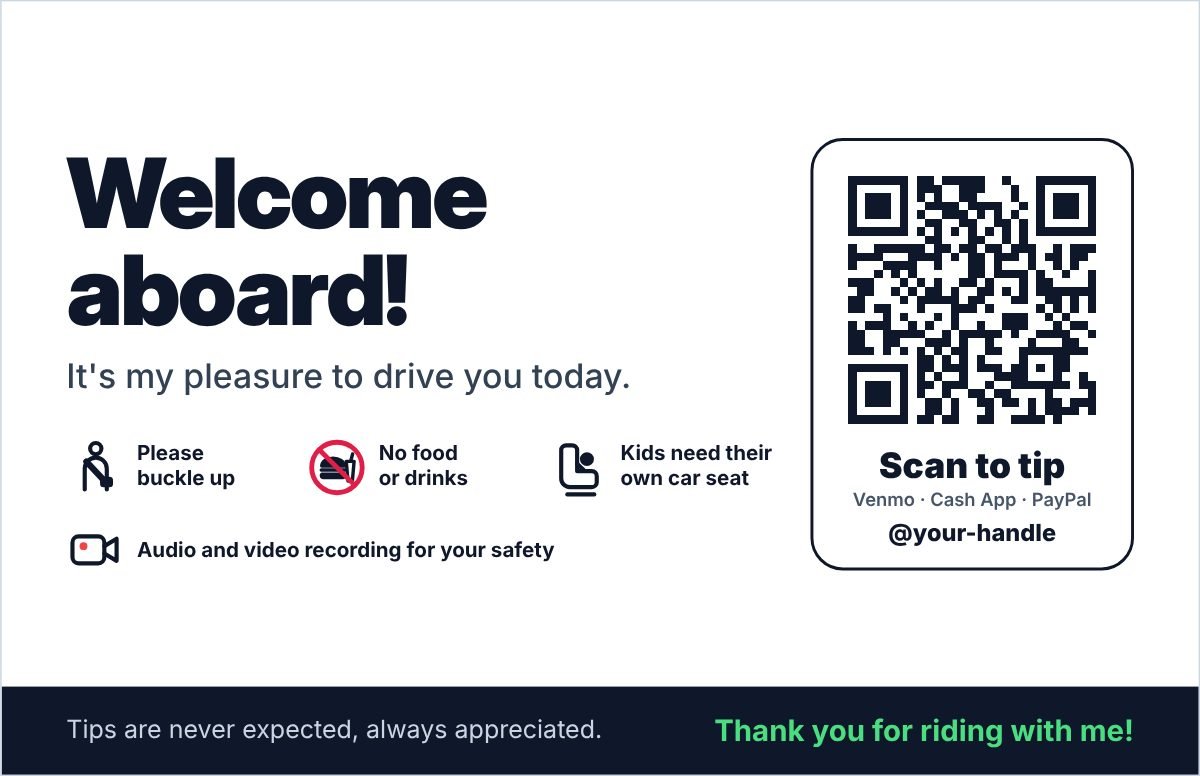
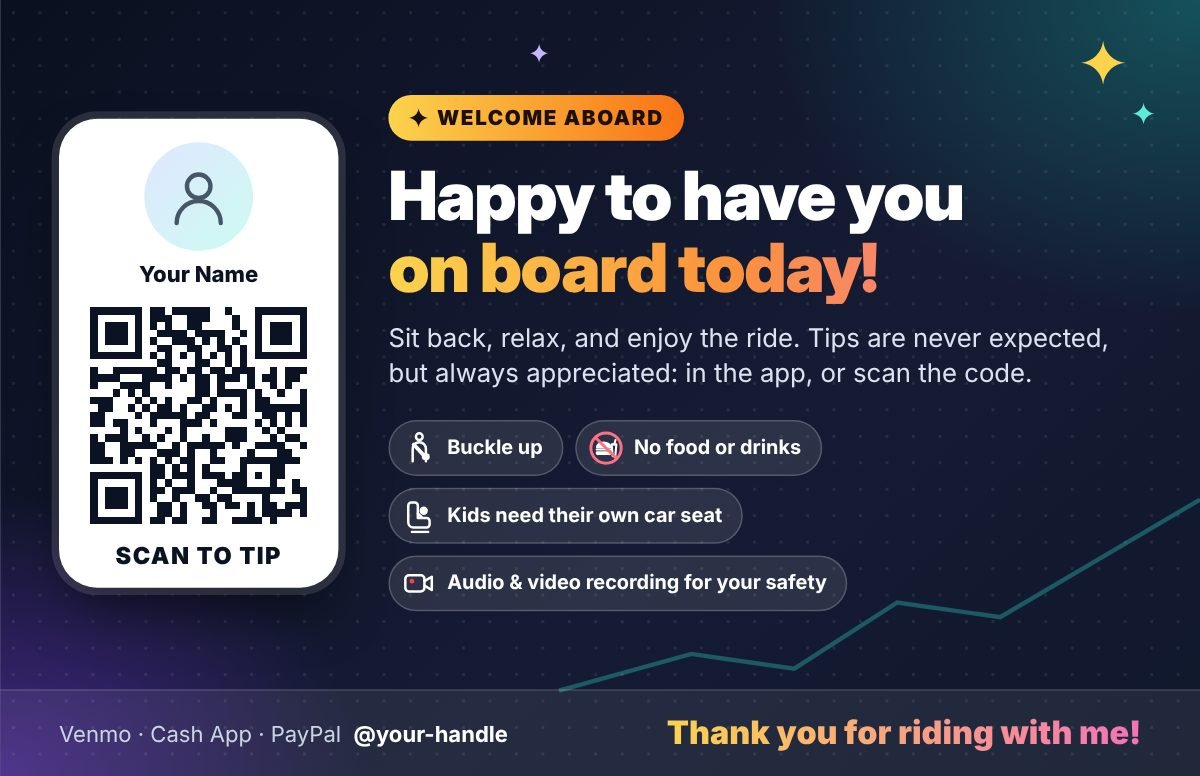

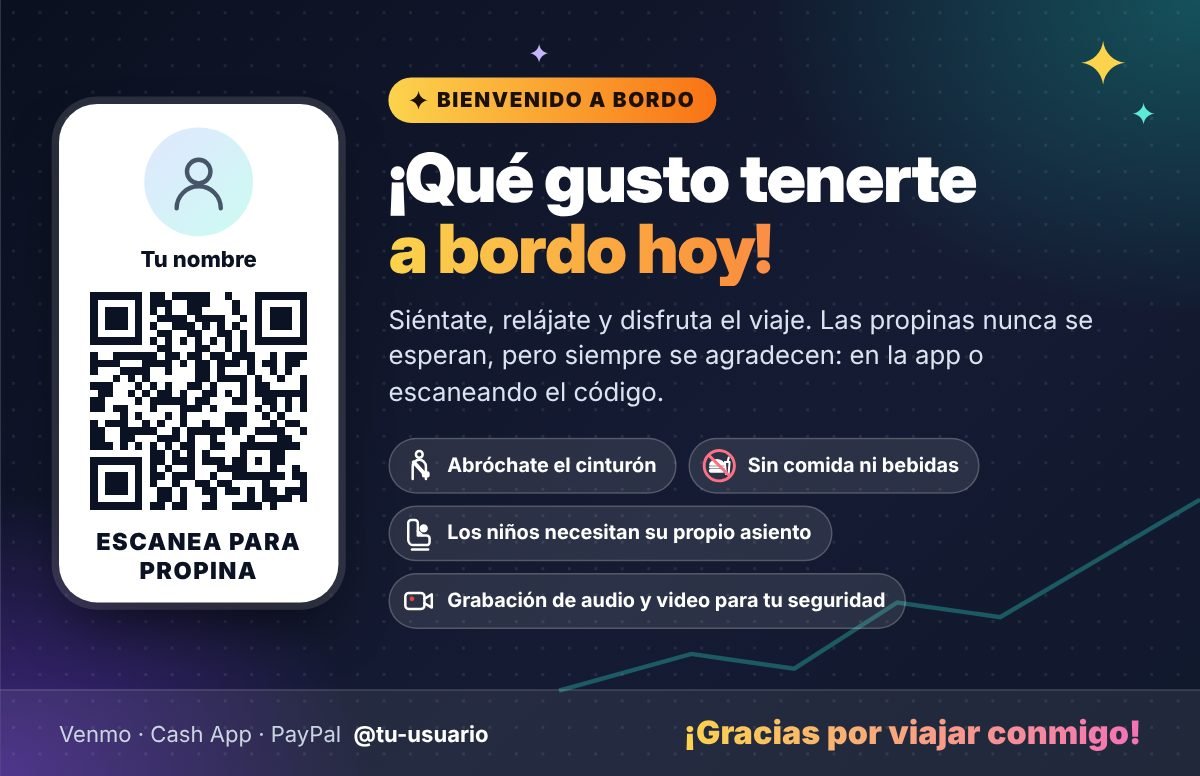
Samples only: you can change every word, icon, color and photo, and turn each reminder on or off.Solo son muestras: puedes cambiar cada palabra, ícono, color y foto, y activar o quitar cada recordatorio.
Ride data toolsHerramientas para tus datosWhat is this?¿Qué es esto?
You can add rides three ways and mix them: check offers in real time, enter rides manually from your Uber or Lyft ride history, or, with Pro, import Uber's own files (Uber lets you download up to 32 days at once, about 17 months back). When you import Uber files, the app matches them with rides you already entered and updates them with Uber's exact numbers. If it isn't sure two rides are the same, it asks you to confirm. These tools also let you safely remove the rides from any one source, with a backup of just that source in case you change your mind. That's perfect after you've been testing things out and want a fresh start. You can also clear all rides from every source at once.
Puedes agregar viajes de tres formas y combinarlas: revisar ofertas en tiempo real, ingresar manualmente los viajes de tu historial de Uber o Lyft o, con Pro, importar los archivos de Uber (Uber te deja descargar hasta 32 días a la vez, unos 17 meses atrás). Cuando importas archivos de Uber, la app los compara con los viajes que ya ingresaste y los actualiza con los números exactos de Uber. Si no está seguro de que dos viajes son el mismo, te pide que lo confirmes. Estas herramientas también te permiten eliminar con seguridad los viajes de una sola fuente, con un respaldo solo de esa fuente por si cambias de opinión. Es perfecto si has estado probando cosas y quieres empezar de nuevo. También puedes borrar todos los viajes de todas las fuentes a la vez.
PRO FEATURESEverything Pro includes, now and coming soon
For a limited time, every Pro feature is free. No sign-up, no payment.Por tiempo limitado, todas las funciones Pro son gratis. Sin registro y sin pago.
Included nowIncluido ahora
Import Uber files: up to 32 days at once, going back about 17 months (Uber's limits)Importa archivos de Uber: hasta 32 días a la vez, hasta unos 17 meses atrás (límites de Uber)What is this?¿Qué es esto?
Load Uber's own trip and payment files and get every ride with Uber's exact pay, tips, times and miles, with no typing. Import up to 32 days of Uber rides at once, going back about 17 months (more than a year). How far back you can go is set by Uber and may change.
Carga los archivos de viajes y pagos de Uber y obtén cada viaje con el pago, las propinas, las horas y las millas exactas de Uber, sin escribir nada. Importa hasta 32 días de viajes de Uber a la vez, hasta unos 17 meses atrás (más de un año). Cuánto tiempo atrás puedes ir lo decide Uber y puede cambiar.
Snapshot reports: Day, Week, Month, Year (save as PDF)Resúmenes: día, semana, mes y año (guardar como PDF)What is this?¿Qué es esto?
One clean report for a day, week, month or year that you can save as text, an image or a PDF.
Un informe limpio de un día, una semana, un mes o un año que puedes guardar como texto, imagen o PDF.
Compare periods side by sideCompara períodos lado a ladoWhat is this?¿Qué es esto?
Put two weeks, months or years side by side and see what changed.
Pon dos semanas, meses o años lado a lado y mira qué cambió.
Year in Review with record coverage and a day-by-day activity logResumen del año con cobertura de registros y registro diario de actividadWhat is this?¿Qué es esto?
Your whole year at a glance, how complete your records are, and a day-by-day activity log.
Todo tu año de un vistazo, qué tan completos están tus registros y un registro diario de actividad.
Open past-year archive files to look back and compareAbre archivos de años anteriores para revisar y compararWhat is this?¿Qué es esto?
Open a saved year file to look back or compare, without mixing it into this year's data.
Abre un archivo de un año guardado para revisarlo o compararlo, sin mezclarlo con los datos de este año.
Expense tracking: where did my money go, by category, day, week, month and yearRegistro de gastos: a dónde se fue mi dinero, por categoría, día, semana, mes y añoWhat is this?¿Qué es esto?
Log fuel, maintenance, tolls and more, and see where your money went with a chart by category, day, week, month or year.
Registra combustible, mantenimiento, peajes y más, y mira a dónde se fue tu dinero con una gráfica por categoría, día, semana, mes o año.
Best Areas: which areas paid you best (optional location, private on your device)Mejores zonas: qué zonas te pagaron mejor (ubicación opcional y privada en tu dispositivo)What is this?¿Qué es esto?
See which areas paid you best. To work, this feature needs your location when you save a ride. Sharing it is optional: you turn it on, you can turn it off anytime, and your location is saved only on your device. It is never sent to ESW or anyone else.
Mira qué zonas te pagaron mejor. Para funcionar, esta función necesita tu ubicación cuando guardas un viaje. Compartirla es opcional: tú la activas, puedes desactivarla cuando quieras y tu ubicación se guarda solo en tu dispositivo. Nunca se envía a ESW ni a nadie más.
Import your full Uber history: every ride since your first one, for reportsImporta tu historial completo de Uber: cada viaje desde el primero, para tus informesWhat is this?¿Qué es esto?
Ask Uber for a copy of your data and load the whole download at once. Your Uber rides from day one go into their own read-only history (they can't be edited and never mix with the rides you add), so you can see your earnings by year, month, day and hour across your whole time driving, what riders paid compared with what you got, and how inflation changed what your time is worth. It stays only on your device.
Pide a Uber una copia de tus datos y carga toda la descarga de una vez. Tus viajes de Uber desde el primer día van a su propio historial de solo lectura (no se pueden editar y nunca se mezclan con los viajes que agregas), para que veas tus ganancias por año, mes, día y hora durante todo el tiempo que has manejado, lo que pagaron los pasajeros comparado con lo que recibiste y cómo la inflación cambió lo que vale tu tiempo. Se queda solo en tu dispositivo.
Pro Bonuses: ESW Balance Forecasting web app (checking, savings, credit cards, loans and cash, personal and business)Bonos Pro: aplicación web ESW Balance Forecasting (cheques, ahorros, tarjetas de crédito, préstamos y efectivo, personales y del negocio)What is this?¿Qué es esto?
A web app that shows your future balances for checking, savings, credit cards, loans and cash, personal and business. No account, no bank connection: you enter everything yourself, and it stays on your device.
Una aplicación web que muestra tus saldos futuros de cheques, ahorros, tarjetas de crédito, préstamos y efectivo, personales y del negocio. Sin cuenta y sin conexión con tu banco: tú ingresas todo, y se queda en tu dispositivo.
New Pro features as they are releasedNuevas funciones Pro a medida que salganWhat is this?¿Qué es esto?
Pro members get new tools as they're released.
Los miembros Pro reciben las nuevas herramientas a medida que salen.
In the worksEn desarrollo
Budget vs Actual: your expenses compared with your cost-per-mile breakdownPresupuesto vs real: tus gastos comparados con el desglose de tu costo por millaWhat is this?¿Qué es esto?
Compare what you really spent with the cost per mile you planned for.
Compara lo que realmente gastaste con el costo por milla que planeaste.
“What if?” simulator: replay your rides with different rulesSimulador “¿Y si…?”: repite tus viajes con otras reglasWhat is this?¿Qué es esto?
Replay your real rides with one change and see what your results would have been. Uber and Lyft decide the pay rates, surge and which offers you get. These choices are yours:
- Lower your cost per mile. For example, 5 to 10 cents less a mile from cheaper insurance, charging or fueling smarter, or keeping tires properly inflated. Over 30,000 miles a year, 5 cents is $1,500.
- Skip long pickups. Decline offers more than 10 or 15 minutes away.
- Drop your weakest offers. Skip your lowest-paying 10% and see the time and miles that frees up.
- Fewer unpaid miles. Wait in a busy spot instead of driving around between rides.
- Drive your best hours. Keep only your best days and times from your own reports.
- Stop at your goal. End the day when you reach your daily goal and see how many hours you get back.
- Set aside a different amount for taxes or savings.
It's a replay of your own data, not a promise. Test an idea here before you try it on the road.
Repite tus viajes reales con un solo cambio y mira cuáles habrían sido tus resultados. Uber y Lyft deciden las tarifas, las tarifas dinámicas y qué ofertas recibes. Estas decisiones son tuyas:
- Baja tu costo por milla. Por ejemplo, de 5 a 10 centavos menos por milla con un seguro más barato, cargando o poniendo gasolina de forma más inteligente, o con las llantas bien infladas. En 30,000 millas al año, 5 centavos son $1,500.
- Evita recogidas lejanas. Rechaza ofertas a más de 10 o 15 minutos.
- Quita tus ofertas más débiles. Salta el 10% que menos paga y mira el tiempo y las millas que eso libera.
- Menos millas sin pago. Espera en una zona con movimiento en vez de dar vueltas entre viajes.
- Maneja en tus mejores horas. Quédate solo con tus mejores días y horarios según tus propios informes.
- Para al llegar a tu meta. Termina el día cuando alcances tu meta diaria y mira cuántas horas recuperas.
- Aparta otra cantidad para impuestos o ahorros.
Es una repetición de tus propios datos, no una promesa. Prueba una idea aquí antes de intentarla en la calle.
Goal planner: the hours you need at your real hourly ratePlanificador de metas: las horas que necesitas con tu tarifa real por horaWhat is this?¿Qué es esto?
Tell it what you want to earn and it shows the hours you need at your real hourly rate.
Dile cuánto quieres ganar y te muestra las horas que necesitas con tu tarifa real por hora.
Best schedule from your own dataMejor horario según tus propios datosWhat is this?¿Qué es esto?
Suggested days and hours to drive, based on your own results.
Días y horas sugeridos para manejar, según tus propios resultados.
Airport analysis: queue time vs airport ride earningsAnálisis de aeropuerto: tiempo de espera vs ingresos de viajes al aeropuertoWhat is this?¿Qué es esto?
Find out whether waiting in the airport queue is worth it for you.
Descubre si esperar en la fila del aeropuerto vale la pena para ti.
More than one vehicle, each with its own cost per mileMás de un vehículo, cada uno con su propio costo por millaWhat is this?¿Qué es esto?
Track each car with its own cost per mile.
Registra cada auto con su propio costo por milla.
STRATEGIESProven ways to earn more, drive less and stay safe
Proven ways to earn more, drive less and stay safe, from real drivers and years on the road. People sell this in books and courses. Here it's free. Pick one or two ideas, try them for a week, and let your own numbers tell you if they work.Formas probadas de ganar más, manejar menos y mantenerte seguro, de conductores reales y años en el camino. Hay quien vende esto en libros y cursos. Aquí es gratis. Escoge una o dos ideas, pruébalas una semana y deja que tus propios números te digan si funcionan.
Looking for ways to earn more tips? They have their own section now.¿Buscas formas de ganar más propinas? Ahora tienen su propia sección.
40 tips in 7 topics40 consejos en 7 temas
Tap a topic to see its tips, then tap a tip to read it.Toca un tema para ver sus consejos y luego toca un consejo para leerlo.
Know Your NumbersConoce tus númerosEverything else starts here.Todo lo demás empieza aquí.
S1 Know what a mile really costs youConoce lo que de verdad te cuesta una milla
Why: Gas or charging is only part of it. Insurance, maintenance, tires and the value your car loses every mile add up. Without that number, every ride looks better than it is.
How: Use the free True Operating Cost Calculator, enter your cost per mile in Driver Preferences, and update it when your costs change.
Por qué: La gasolina o la carga es solo una parte. El seguro, el mantenimiento, las llantas y el valor que tu auto pierde con cada milla también suman. Sin ese número, cada viaje parece mejor de lo que es.
Cómo: Usa la Calculadora gratuita del costo operativo real, escribe tu costo por milla en Preferencias del conductor y actualízalo cuando cambien tus costos.
S2 Set your own minimums, and stick to themDefine tus propios mínimos y respétalos
Why: Deciding in 15 seconds is hard. Deciding with a rule you already made is easy.
How: Set an Ideal and a Minimum per hour and per mile. Start realistic for your market, then raise them as your data shows what's possible. Let the offer calculator's verdict make the call.
Por qué: Decidir en 15 segundos es difícil. Decidir con una regla que ya hiciste es fácil.
Cómo: Define un Ideal y un Mínimo por hora y por milla. Empieza con números realistas para tu mercado y súbelos cuando tus datos muestren qué es posible. Deja que el veredicto de la calculadora de ofertas decida.
S3 Track the time and miles nobody pays forRegistra el tiempo y las millas que nadie te paga
Why: Waiting, repositioning, charging and long drives to reserved rides are where profit quietly disappears.
How: Run the Workday Timer, log your odometer at the start and end of the day, and record unpaid miles.
Por qué: Esperar, moverte de zona, cargar y los trayectos largos hacia viajes reservados es donde la ganancia desaparece sin que lo notes.
Cómo: Usa el Cronómetro de jornada, anota tu odómetro al empezar y al terminar el día, y registra tus millas sin pago.
S4 Judge by what you keep, not by what you grossJuzga por lo que te queda, no por lo que cobras
Why: A $300 day that costs you $120 in car costs and 11 hours is not a great day.
How: Look at "after costs" per hour and per mile, not the gross on the app.
Por qué: Un día de $300 que te cuesta $120 en gastos del auto y 11 horas no es un gran día.
Cómo: Fíjate en lo que queda "después de costos" por hora y por milla, no en el total bruto de la app.
S5 Review your week every weekRevisa tu semana cada semana
Why: Small adjustments every week beat big changes every few months.
How: Once a week, open your reports and choose "This week." Check your best and worst hours, your per-mile results and your unpaid miles. Change one thing next week.
Por qué: Pequeños ajustes cada semana valen más que grandes cambios cada pocos meses.
Cómo: Una vez por semana, abre tus informes y elige "Esta semana". Revisa tus mejores y peores horas, tus resultados por milla y tus millas sin pago. Cambia una sola cosa la semana siguiente.
Choosing RidesCómo escoger viajesEvery offer is a business decision.Cada oferta es una decisión de negocio.
S6 Decline freely, cancel rarelyRechaza sin miedo, cancela poco
Why: Declining a bad offer doesn't get you deactivated. Canceling accepted rides too often can.
How: Use your minimums to decide before you accept. Some platform perks depend on your acceptance rate. Decide whether those perks are worth more to you than being selective, and do what's best for you.
Por qué: Rechazar una mala oferta no hace que te desactiven. Cancelar viajes aceptados con demasiada frecuencia sí puede.
Cómo: Usa tus mínimos para decidir antes de aceptar. Algunos beneficios de las plataformas dependen de tu tasa de aceptación. Decide si esos beneficios valen más para ti que ser selectivo, y haz lo que más te convenga.
S7 When canceling is the right callCuándo cancelar es lo correcto
Why: Canceling is a valid tool for safety and for real problems.
How: Good reasons include an unsafe destination or area, an offer accepted by mistake, or a situation at pickup that isn't right, such as a child with no car seat. Explain politely and calmly. To get the cancellation fee you usually have to wait out the timer at the pickup spot. Rules can differ by market.
Por qué: Cancelar es una herramienta válida por seguridad y por problemas reales.
Cómo: Buenas razones son un destino o una zona insegura, una oferta aceptada por error o una situación en la recogida que no está bien, como un niño sin asiento de seguridad. Explícalo con cortesía y calma. Para cobrar la tarifa de cancelación normalmente tienes que esperar a que termine el temporizador en el punto de recogida. Las reglas pueden cambiar según el mercado.
S8 Watch the pickup, not just the tripFíjate en la recogida, no solo en el viaje
Why: Pickup time and miles are part of every ride. With upfront pay, the offer usually already accounts for them, so what matters is how the whole ride pays.
How: Judge the whole offer, pickup included. The offer calculator does this when you enter pickup minutes and miles. Shorter pickups are usually more convenient, but a longer one can be worth it when the pay per hour and per mile still holds up, or when it takes you to the area where you want to work. It's your call.
Por qué: El tiempo y las millas de la recogida son parte de cada viaje. Con el pago por adelantado, la oferta normalmente ya los toma en cuenta, así que lo que importa es cuánto paga el viaje completo.
Cómo: Evalúa la oferta completa, con la recogida incluida. La calculadora de ofertas lo hace cuando escribes los minutos y las millas de la recogida. Normalmente una recogida corta es más cómoda, pero una más larga puede valer la pena si el pago por hora y por milla se mantiene bien, o si te lleva a la zona donde quieres trabajar. Tú decides.
S9 Think about the ride homePiensa en el regreso
Why: A long trip out of town often means an empty drive back.
How: Before accepting a long trip, ask yourself whether you can get rides back from there, or whether it pays enough to cover the empty return. Destination filters can help you head back while still getting paid.
Check the empty drive back the same way: enter the miles and minutes from your map app in Unpaid / Empty Mileage to see what it costs you.
Por qué: Un viaje largo fuera de la ciudad muchas veces significa regresar vacío.
Cómo: Antes de aceptar un viaje largo, pregúntate si podrás conseguir viajes de regreso desde allá, o si paga lo suficiente para cubrir el regreso vacío. Los filtros de destino te pueden ayudar a regresar mientras sigues ganando.
Revisa el regreso vacío de la misma forma: escribe las millas y los minutos de tu app de mapas en Millas sin pago / vacías para ver cuánto te cuesta.
S10 Use the platform's filtersUsa los filtros de las plataformas
Why: Filters let you work where it pays and head where you need to go, while still getting paid.
Lyft (in Ed's market): 2, 4 or 6 filters a day, depending on your qualifications and your market. They reset every day, and you decide how to use them:
- Destination: get rides heading where you want to go, for example home at the end of the day. Rides keep coming in that direction, and the filter ends when you get there.
- Arrive by a set time: get rides that help you be somewhere at a certain time. Ed doesn't find it useful, but it depends on your preference.
- Area: stay within a radius you choose, from 5 to 30 miles, for 3 hours each. With 2 filters that's up to 6 hours, with 4 up to 12, and so on.
Uber (in Ed's market):
- Area filter: up to 2 hours a day in total, and it resets the next day. There are 5 fixed zones: the central area inside the perimeter highway, plus northwest, northeast, southwest and southeast. You can't change their size.
- Destination filters: these are separate from the area filter, usually 2 a day, sometimes 3. Use them to get rides heading in a direction. For example, from home toward the airport, out of an area you don't want to be in and back toward downtown, or toward home at the end of the day.
Keep in mind: these are perks that depend on your account standing, your rating, your acceptance rate and your market, and the platforms change them over time. Check what your app offers.
Por qué: Los filtros te dejan trabajar donde conviene e ir hacia donde necesitas, sin dejar de ganar.
Lyft (en el mercado de Ed): 2, 4 o 6 filtros al día, según tus calificaciones y tu mercado. Se renuevan cada día, y tú decides cómo usarlos:
- Destino: recibe viajes que van hacia donde quieres ir, por ejemplo a tu casa al final del día. Siguen llegando viajes en esa dirección, y el filtro termina cuando llegas.
- Llegar a cierta hora: recibe viajes que te ayudan a estar en algún lugar a una hora determinada. A Ed no le parece útil, pero depende de tu preferencia.
- Zona: quédate dentro de un radio que tú escoges, de 5 a 30 millas, por 3 horas cada uno. Con 2 filtros son hasta 6 horas, con 4 hasta 12, y así sucesivamente.
Uber (en el mercado de Ed):
- Filtro de zona: hasta 2 horas al día en total, y se renueva al día siguiente. Hay 5 zonas fijas: el área central dentro del periférico, más noroeste, noreste, suroeste y sureste. No puedes cambiar su tamaño.
- Filtros de destino: son aparte del filtro de zona, normalmente 2 al día, a veces 3. Úsalos para recibir viajes que van en una dirección. Por ejemplo, de tu casa hacia el aeropuerto, para salir de una zona donde no quieres estar y regresar al centro, o hacia tu casa al final del día.
Ten en cuenta: son beneficios que dependen de la situación de tu cuenta, tu calificación, tu tasa de aceptación y tu mercado, y las plataformas los cambian con el tiempo. Revisa qué ofrece tu app.
S11 Don't chase surge or Prime TimeNo persigas las tarifas dinámicas
Why: By the time you get there, it's often gone, and you've driven empty miles for nothing.
How: Only head toward a hot zone if it's close or on your way. A steady, nearby area usually beats a far-away surge.
Before you go, check what it costs: enter the miles and minutes from your map app in Unpaid / Empty Mileage, and the app shows what that drive costs you.
Por qué: Cuando llegas, muchas veces ya se acabó, y manejaste millas vacías para nada.
Cómo: Ve hacia una zona con tarifa alta solo si está cerca o en tu camino. Una zona cercana y constante normalmente vale más que una tarifa alta lejana.
Antes de ir, revisa cuánto cuesta: escribe las millas y los minutos de tu app de mapas en Millas sin pago / vacías, y la app te muestra cuánto te cuesta ese trayecto.
S12 Are quests and bonuses worth it?¿Valen la pena los Quests y los bonos?
Why: Some bonuses push you to take rides you'd normally decline, or to drive longer than makes sense.
How: Do the math: the bonus divided by the extra hours and miles it takes. If it pays less than your Minimum per hour after costs, it's not a bonus.
Por qué: Algunos bonos te empujan a tomar viajes que normalmente rechazarías, o a manejar más de lo que conviene.
Cómo: Haz la cuenta: el bono dividido entre las horas y millas extra que te cuesta. Si paga menos que tu Mínimo por hora después de costos, no es un bono.
S13 Switch between apps, or run both, safelyCambia de app, o usa las dos, con seguridad
Why: Using both Uber and Lyft cuts your waiting time, and you can follow whichever one has a bonus or incentive in your area right now.
Ed's way: usually he runs one app at a time. If it's slow and no ride request comes within 30 seconds to a minute, he turns it off and turns the other one on. He also picks the app that has a bonus or incentive where he already is.
Running both: when it's really slow, you can have both online. Accept only one ride at a time, go offline on the other app as soon as you accept, and never touch your phone while driving.
Keep in mind: follow each platform's rules in your market.
Por qué: Usar Uber y Lyft reduce tu tiempo de espera, y puedes seguir la que tenga un bono o incentivo en tu zona en ese momento.
Como lo hace Ed: normalmente usa una sola app a la vez. Si está lento y no le llega una solicitud en 30 segundos a un minuto, la apaga y prende la otra. También escoge la app que tenga un bono o incentivo donde ya está.
Con las dos prendidas: cuando está muy lento, puedes tener las dos conectadas. Acepta un solo viaje a la vez, desconéctate de la otra app en cuanto aceptes, y nunca toques tu celular mientras manejas.
Ten en cuenta: sigue las reglas de cada plataforma en tu mercado.
S46 Reservations: know the risks before you acceptViajes reservados: conoce los riesgos antes de aceptar
Why: A reserved ride can look like a great fare, but you may drive a long way to get to it. If you're late, the app can give the ride to another driver, and you get nothing for that drive.
How:
- Favor reservations close to where you'll already be. A 40- or 50-minute drive to the pickup is a big risk.
- Rides sent "on the way" to a reservation don't always bring you closer. Sometimes they take you farther away, so keep an eye on the time.
- Leave early and allow for traffic. Navigation can also make mistakes and add miles and minutes. Once the app says you're running late, the ride can be taken away.
- You can't contact the rider until the app starts the trip to the pickup. As soon as it does, send a friendly message saying you're on your way and when you'll arrive.
- Some pickups turn out to be in a gated community, and you usually can't know ahead of time. If you're stuck at the gate, the app may think you're not at the pickup, and an early-morning rider may not answer. Keep calling and texting. Sometimes there's nothing more you can do.
Keep in mind: this comes from Ed's own experience with Uber reservations. He hasn't done Lyft reservations, so Lyft may work differently.
Por qué: Un viaje reservado puede verse como una gran tarifa, pero quizá tengas que manejar mucho para llegar. Si llegas tarde, la app puede darle el viaje a otro conductor, y no recibes nada por ese trayecto.
Cómo:
- Prefiere reservaciones cerca de donde ya vas a estar. Manejar 40 o 50 minutos hasta la recogida es un riesgo grande.
- Los viajes que te mandan "de camino" a una reservación no siempre te acercan. A veces te alejan, así que fíjate en la hora.
- Sal con tiempo y considera el tráfico. La navegación también puede equivocarse y agregar millas y minutos. Cuando la app dice que vas tarde, te pueden quitar el viaje.
- No puedes comunicarte con el pasajero hasta que la app inicia el trayecto a la recogida. En cuanto lo haga, mándale un mensaje amable diciendo que vas en camino y a qué hora llegas.
- Algunas recogidas resultan estar en un fraccionamiento cerrado, y normalmente no puedes saberlo antes. Si te quedas atorado en la reja, la app puede pensar que no estás en la recogida, y un pasajero muy temprano puede no contestar. Sigue llamando y mandando mensajes. A veces no hay nada más que puedas hacer.
Ten en cuenta: esto viene de la experiencia de Ed con reservaciones de Uber. Él no ha hecho reservaciones con Lyft, así que Lyft puede funcionar diferente.
Time & EnergyTiempo y energíaYour hours are your inventory.Tus horas son tu inventario.
S14 Drive your best hours, not just more hoursManeja tus mejores horas, no solo más horas
Why: The same 6 hours can pay very differently depending on when you drive them.
How: Look at your Best Days & Times after a few weeks of tracking, and build your schedule around them.
Por qué: Las mismas 6 horas pueden pagar muy distinto según cuándo las manejes.
Cómo: Revisa tus Mejores días y horarios después de unas semanas de registros, y arma tu horario alrededor de ellos.
S15 Work in blocks, with real breaksTrabaja por bloques, con descansos de verdad
Why: Long stretches without a break hurt your focus, your driving and your mood with passengers.
How: Plan work blocks with at least a 15-minute break between them. Use the Break activity in the Workday Timer so your hourly rate stays honest.
Por qué: Pasar mucho tiempo sin descanso afecta tu concentración, tu manera de manejar y tu ánimo con los pasajeros.
Cómo: Planea bloques de trabajo con al menos 15 minutos de descanso entre ellos. Usa la actividad Descanso del Cronómetro de jornada para que tu tarifa por hora sea honesta.
S16 Plan your food, water and restroom stopsPlanea tu comida, agua y paradas al baño
Why: Skipping water or holding it all day isn't a strategy. It leads to dehydration and health problems.
How: Know clean restrooms along your usual routes, time your drinks, and choose lighter meals that won't make you sleepy. Be disciplined about what, how much and when you eat.
Por qué: No tomar agua o aguantarte todo el día no es una estrategia. Lleva a la deshidratación y a problemas de salud.
Cómo: Conoce baños limpios en tus rutas de siempre, calcula cuándo tomas líquidos y escoge comidas ligeras que no te den sueño. Sé disciplinado con qué, cuánto y cuándo comes.
S17 Know when to stopSabe cuándo parar
Why: The last hours of a long day often pay the least and carry the most risk.
How: Set a daily goal or a stop time, and when you reach it, go home. Your numbers will show when your hourly rate starts dropping.
Por qué: Las últimas horas de un día largo muchas veces pagan menos y traen más riesgo.
Cómo: Define una meta diaria o una hora para terminar, y cuando llegues, vete a casa. Tus números te mostrarán cuándo empieza a bajar tu tarifa por hora.
S18 Never drive drowsyNunca manejes con sueño
Why: Drowsy driving is dangerous, and no fare is worth it.
How: If you feel tired, end the trip safely and take a break or a short nap in a safe place. Get enough sleep before long days. Coffee or gum can help you stay fresh, but they don't replace rest.
Por qué: Manejar con sueño es peligroso, y ninguna tarifa lo vale.
Cómo: Si te sientes cansado, termina el viaje con seguridad y toma un descanso o una siesta corta en un lugar seguro. Duerme lo suficiente antes de los días largos. El café o el chicle te ayudan a mantenerte fresco, pero no sustituyen el descanso.
Miles & Your CarMillas y tu autoEvery mile costs money, paid or not.Cada milla cuesta dinero, pagada o no.
S19 Cut your unpaid milesReduce tus millas sin pago
Why: Unpaid miles cost the same per mile as paid ones.
How: Instead of driving around between rides, park in a busy, safe spot and wait. Reposition only when your data says it pays.
Por qué: Las millas sin pago cuestan lo mismo por milla que las pagadas.
Cómo: En vez de dar vueltas entre viajes, estaciónate en un lugar seguro y con movimiento, y espera. Cámbiate de zona solo cuando tus datos digan que conviene.
S20 Fuel up or charge at the right timePon gasolina o carga en el momento correcto
Why: Running low at the wrong moment costs you rides, and expensive stations cost you profit.
How: Fuel or charge during slow hours, use the cheapest reliable station near your area, and log the time as Unpaid Work (charging, fueling, cleaning, or moving to a better area with the app off).
Por qué: Quedarte sin gasolina o carga en mal momento te cuesta viajes, y las estaciones caras te cuestan ganancia.
Cómo: Pon gasolina o carga en horas lentas, usa la estación confiable más barata cerca de tu zona y registra ese tiempo como Trabajo sin pago (cargar, poner combustible, limpiar o moverte a una mejor zona con la app apagada).
S21 Keep up with maintenanceMantén tu auto al día
Why: A breakdown costs you repairs and lost days on the road.
How: Keep tires properly inflated, follow your service schedule, and use the Maintenance reminders in the Odometer.
Por qué: Una descompostura te cuesta reparaciones y días sin trabajar.
Cómo: Mantén las llantas bien infladas, sigue tu calendario de servicio y usa los Recordatorios de mantenimiento del Odómetro.
S22 Skip the brand-new carEvita el auto nuevo
Why: Rideshare doesn't pay like it used to, and a new car loses value fastest in its first few years. That loss is part of your cost per mile, whether you notice it or not.
First: if you already have a car that Uber or Lyft accepts, start with it, especially if you're new to rideshare. Track a few weeks in this app first. After operating costs and taxes, rideshare may pay less than you think, and buying a car for it could turn out to be a bad business decision.
If you do buy: look for a reliable car that's about 2 to 4 years old. Someone else already paid for the biggest drop in value, and it often still has some factory warranty left.
- Have a trusted mechanic inspect it before you buy, and check its history report.
- Compare fuel or charging cost per mile, insurance, reliability and repair costs, not just the monthly payment. Fuel-efficient hybrids and EVs can lower your cost per mile a lot.
- Check Uber's and Lyft's vehicle requirements in your city, including the maximum vehicle age, so the car qualifies for as long as you plan to drive it.
- Run each option through the True Operating Cost Calculator before you buy.
Por qué: El rideshare ya no paga como antes, y un auto nuevo pierde valor más rápido en sus primeros años. Esa pérdida es parte de tu costo por milla, lo notes o no.
Primero: si ya tienes un auto que Uber o Lyft aceptan, empieza con ese, sobre todo si eres nuevo en el rideshare. Registra unas semanas en esta app primero. Después de los costos operativos y los impuestos, el rideshare puede pagar menos de lo que crees, y comprar un auto para eso podría resultar una mala decisión de negocio.
Si decides comprar: busca un auto confiable de unos 2 a 4 años. Alguien más ya pagó la mayor caída de valor, y muchas veces todavía le queda algo de garantía de fábrica.
- Pide a un mecánico de confianza que lo revise antes de comprarlo, y revisa su historial.
- Compara el costo por milla de gasolina o carga, el seguro, la confiabilidad y las reparaciones, no solo el pago mensual. Los híbridos y eléctricos eficientes pueden bajar mucho tu costo por milla.
- Revisa los requisitos de vehículos de Uber y Lyft en tu ciudad, incluida la antigüedad máxima, para que el auto califique todo el tiempo que piensas manejar.
- Pasa cada opción por la Calculadora del costo operativo real antes de comprar.
Safety & ProtectionSeguridad y protecciónNo fare is worth your safety.Ninguna tarifa vale más que tu seguridad.
S29 Get a good dash camConsigue una buena cámara para el auto
Why: After an accident or a false complaint, video can be the proof that protects you and keeps you on the road.
How: Choose high-definition video with night vision, and front, cabin and rear cameras if you can. Don't go cheap.
Options: a regular high-end dash cam gives the sharpest video. A cloud-based dash cam keeps your footage online even if the camera is damaged or taken, but the video is less sharp and it has a monthly subscription.
"I was falsely reported twice for driving under the influence, as retaliation. I don't drink, smoke or use drugs. I offered my dash cam video and an immediate drug test, and both times I was reactivated." — Ed
Por qué: Después de un accidente o una queja falsa, el video puede ser la prueba que te protege y te mantiene trabajando.
Cómo: Escoge una cámara con video en alta definición y visión nocturna, y si puedes, con cámaras al frente, en la cabina y atrás. No compres lo más barato.
Opciones: una buena cámara normal da el video más nítido. Una cámara en la nube guarda tus grabaciones en línea aunque la cámara se dañe o se la lleven, pero el video es menos nítido y tiene una suscripción mensual.
"Me reportaron falsamente dos veces por manejar bajo la influencia, como venganza. Yo no tomo, no fumo ni uso drogas. Ofrecí el video de mi cámara y una prueba de drogas inmediata, y las dos veces me reactivaron." — Ed
S30 Let riders know you're recordingAvisa a los pasajeros que estás grabando
Why: A visible notice discourages bad behavior and helps you follow the law.
How: Use a "this vehicle records audio and video" sticker. Recording laws differ by state, and some require everyone's consent to record audio, so check your state's rules.
Por qué: Un aviso visible desanima el mal comportamiento y te ayuda a cumplir la ley.
Cómo: Usa una calcomanía de "este vehículo graba audio y video". Las leyes de grabación cambian según el estado, y algunos piden el consentimiento de todos para grabar audio, así que revisa las reglas de tu estado.
S31 If a rider gets aggressive, leaveSi un pasajero se pone agresivo, vete
Why: No cancellation fee is worth your life.
How: Stay calm and polite while things are calm. If they turn aggressive, drive away, report it to the platform's safety team, and call 911 in an emergency. Save your dash cam footage right away.
"A woman came out with her four-year-old daughter and no car seat. Riding without one is against the law and against Uber's and Lyft's rules, and I wasn't going to put a child at risk. Anything can happen on the road, and if something goes wrong, the driver is responsible. I wouldn't take them, and she refused to cancel. She wanted me to cancel, and I wanted the cancellation fee I'd earned by driving all the way there. That was only fair, but she didn't see it that way. She kept threatening me, and then she pulled a gun. I drove away, reported it to the safety team, and I had the whole thing on my dash cam. That's when I added a cloud-based dash cam too." — Ed
The lesson: being right about the fee isn't worth it once someone becomes threatening. Leave first, report after.
Por qué: Ninguna tarifa de cancelación vale tu vida.
Cómo: Mantén la calma y la cortesía mientras todo esté tranquilo. Si la persona se pone agresiva, vete, repórtalo al equipo de seguridad de la plataforma y llama al 911 en una emergencia. Guarda el video de tu cámara de inmediato.
"Una señora salió con su hija de cuatro años y sin asiento para niños. Viajar sin él va contra la ley y contra las reglas de Uber y Lyft, y yo no iba a poner a una niña en riesgo. Cualquier cosa puede pasar en el camino, y si algo sale mal, el conductor es el responsable. No quise llevarlas, y ella se negó a cancelar. Quería que yo cancelara, y yo quería la tarifa de cancelación que me había ganado por manejar hasta allá. Era lo justo, pero ella no lo vio así. Siguió amenazándome, y luego sacó una pistola. Me fui, lo reporté al equipo de seguridad y tenía todo grabado en mi cámara. Fue entonces cuando agregué también una cámara en la nube." — Ed
La lección: tener la razón sobre la tarifa no vale la pena cuando alguien se pone amenazante. Primero vete, después repórtalo.
S32 Child without a car seat? Don't take the ride¿Niño sin asiento de seguridad? No tomes el viaje
Why: Car seats are required by law in every state and by Uber's and Lyft's rules, and the driver is responsible for every passenger's safety. If you're pulled over with a child who isn't in a car seat, or if something happens on the road, you're the one held responsible.
How: Explain kindly and calmly that you can't take the child without a car seat, and cancel for the right reason.
"Many times people look at me like something's wrong with me when I refuse. They tell me they do it all the time, that other drivers have taken them before. Other drivers not following the rules, or not knowing them, doesn't mean you have to do the same. Do the right thing for everyone's safety, including yours." — Ed
Por qué: La ley de todos los estados y las reglas de Uber y Lyft exigen asiento de seguridad para niños, y el conductor es responsable de la seguridad de cada pasajero. Si te detiene la policía con un niño sin asiento, o si algo pasa en el camino, el responsable eres tú.
Cómo: Explica con amabilidad y calma que no puedes llevar al niño sin asiento de seguridad, y cancela con el motivo correcto.
"Muchas veces la gente me mira como si algo estuviera mal conmigo cuando me niego. Me dicen que lo hacen todo el tiempo, que otros conductores ya los han llevado. Que otros conductores no sigan las reglas, o no las conozcan, no significa que tú tengas que hacer lo mismo. Haz lo correcto por la seguridad de todos, incluida la tuya." — Ed
S33 Trust your gutConfía en tu instinto
Why: If something feels wrong at pickup or during a ride, it often is.
How: You can cancel before the trip starts, end a trip early in a safe, public, well-lit place, and use the app's safety tools.
Por qué: Si algo se siente mal en la recogida o durante el viaje, muchas veces lo está.
Cómo: Puedes cancelar antes de que empiece el viaje, terminar un viaje antes en un lugar seguro, público y bien iluminado, y usar las herramientas de seguridad de la app.
S34 Check your insurance for rideshareRevisa tu seguro para rideshare
Why: Many personal auto policies don't cover you while the app is on, especially while you're waiting for a ride request.
How: Ask your insurer about a rideshare endorsement or policy, and read what the platform's insurance covers in each stage.
Por qué: Muchas pólizas personales de auto no te cubren mientras la app está prendida, sobre todo mientras esperas una solicitud de viaje.
Cómo: Pregunta a tu aseguradora por una cobertura o póliza para rideshare, y lee qué cubre el seguro de la plataforma en cada etapa.
S35 Document everythingDocuméntalo todo
Why: After an accident or an incident, details fade fast, and reports, insurance claims and disputes depend on them. You can never have too much information. The better prepared you are, the better you'll be if anything comes up later.
After a car accident:
- Safety first: move to a safe spot if you can, check on everyone, and call 911 if anyone is hurt. Ask for a police report.
- Take photos of everything, from several angles: all the vehicles and the damage, the whole scene, road conditions and signs, and the license plates.
- Photograph the other driver's license and insurance card, and write down their name, phone number and vehicle.
- If it's safe, photograph the people involved too, and get the names and phone numbers of any witnesses.
- Never admit fault. Stick to the facts.
- Save your dash cam video right away, and report the accident in the Uber or Lyft app and to your own insurance company.
After an incident with a passenger:
- Write down the time, place and exactly what happened while it's fresh.
- Save your dash cam video and any photos, messages or other proof.
- Report it in the app, and keep a copy of everything you send.
Por qué: Después de un accidente o un incidente, los detalles se olvidan rápido, y los reportes, los reclamos al seguro y las disputas dependen de ellos. Nunca es demasiada información. Entre mejor preparado estés, mejor te irá si algo surge después.
Después de un accidente:
- Primero la seguridad: muévete a un lugar seguro si puedes, revisa que todos estén bien y llama al 911 si hay heridos. Pide un reporte policial.
- Toma fotos de todo, desde varios ángulos: todos los vehículos y los daños, toda la escena, el estado del camino, las señales y las placas.
- Toma foto de la licencia y la tarjeta del seguro del otro conductor, y anota su nombre, teléfono y vehículo.
- Si es seguro, toma fotos también de las personas involucradas, y pide nombre y teléfono a los testigos.
- Nunca admitas la culpa. Limítate a los hechos.
- Guarda el video de tu cámara de inmediato, y reporta el accidente en la app de Uber o Lyft y a tu propia aseguradora.
Después de un incidente con un pasajero:
- Anota la hora, el lugar y exactamente qué pasó mientras lo tienes fresco.
- Guarda el video de tu cámara y cualquier foto, mensaje u otra prueba.
- Repórtalo en la app, y guarda una copia de todo lo que envíes.
S36 Know who to call after an accidentSabe a quién llamar después de un accidente
Why: After a rideshare accident, insurance can get complicated fast. A law firm that focuses on rideshare cases may be able to advise you.
What LegalRideshare recommends after an accident:
- Call the police and make an accident report.
- Never admit fault.
- Get contact information from everyone involved.
- Exchange insurance information.
- Take pictures of the scene, the damage to the vehicles and any markings on the road.
- Call an ambulance and get medical treatment right away if needed.
- Contact LegalRideshare for a free consultation.
Contact: LegalRideshare, legalrideshare.com, 855-874-3374.
Before you need it: call to confirm they handle cases in your state.
Por qué: Después de un accidente de rideshare, el tema de los seguros se puede complicar rápido. Un despacho de abogados que se enfoca en casos de rideshare podría orientarte.
Lo que LegalRideshare recomienda después de un accidente:
- Llama a la policía y haz un reporte del accidente.
- Nunca admitas la culpa.
- Pide los datos de contacto de todos los involucrados.
- Intercambien la información de sus seguros.
- Toma fotos de la escena, los daños de los vehículos y cualquier marca en el camino.
- Llama a una ambulancia y busca atención médica de inmediato si hace falta.
- Comunícate con LegalRideshare para una consulta gratis.
Contacto: LegalRideshare, legalrideshare.com, 855-874-3374.
Antes de necesitarlo: llama para confirmar que atienden casos en tu estado.
S45 An attorney on your phone during a traffic stop or accidentUn abogado en tu celular durante una parada de tránsito o un accidente
Why: Being pulled over or having an accident can be stressful, and what you say and do matters. Having a calm, trained witness on your side helps.
How: TurnSignl is an app that connects you by live video with an attorney in your area during a traffic stop or after an accident. You can start it by voice or with one tap.
- The app records the interaction and saves it to your own cloud storage.
- Before the officer arrives, the attorney can give you quick advice on how to handle the situation. During the stop, they usually stay quiet and simply witness the interaction.
- Its attorneys are trained in de-escalation, and the service is available in all 50 states and Washington, D.C.
- It's a paid subscription. Check the app for current plans and prices.
Keep in mind: set it up before you need it, and start it only when it's safe. Don't handle your phone while the car is moving.
Por qué: Que te detenga la policía o tener un accidente puede ser estresante, y lo que dices y haces importa. Tener de tu lado a un testigo tranquilo y capacitado ayuda.
Cómo: TurnSignl es una app que te conecta por videollamada en vivo con un abogado de tu zona durante una parada de tránsito o después de un accidente. Puedes iniciarla con la voz o con un toque.
- La app graba la interacción y la guarda en tu propio almacenamiento en la nube.
- Antes de que llegue el oficial, el abogado te puede dar consejos rápidos sobre cómo manejar la situación. Durante la parada, normalmente se queda callado y solo es testigo de la interacción.
- Sus abogados están capacitados para calmar situaciones tensas, y el servicio está disponible en los 50 estados y Washington, D.C.
- Es una suscripción de pago. Revisa la app para ver los planes y precios actuales.
Ten en cuenta: configúrala antes de necesitarla, e iníciala solo cuando sea seguro. No uses tu celular con el auto en movimiento.
Money & Your BusinessTu dinero y tu negocioTreat it like the business it is.Trátalo como el negocio que es.
S37 Set aside taxes every weekAparta para impuestos cada semana
Why: Uber and Lyft don't withhold taxes. The bill comes later, often with penalties if the money isn't there.
How: Set your tax reserve in Driver Preferences. Many drivers set aside 15% to 25% of profit. Move it to a separate account every week, and make quarterly estimated payments. Check with a tax professional.
Por qué: Uber y Lyft no retienen impuestos. La cuenta llega después, muchas veces con multas si el dinero no está.
Cómo: Define tu reserva para impuestos en Preferencias del conductor. Muchos conductores apartan del 15% al 25% de su ganancia. Pásalo a una cuenta separada cada semana y haz pagos estimados cada trimestre. Consulta a un profesional de impuestos.
S38 Keep a separate account for the businessTen una cuenta separada para el negocio
Why: Mixing personal and business money makes it hard to see what you really earn.
How: Have your earnings deposited into one account, and pay car costs from it.
Por qué: Mezclar el dinero personal y el del negocio hace difícil ver cuánto ganas de verdad.
Cómo: Haz que tus ganancias se depositen en una sola cuenta, y paga desde ahí los gastos del auto.
S39 Save for repairs, slow weeks and your next carAhorra para reparaciones, semanas lentas y tu próximo auto
Why: Depending on how often and how long you drive, rideshare takes a huge toll on your car. Sooner or later you'll face a big repair, and eventually you'll need to replace the car. If the money isn't there when that happens, you'll likely end up on credit cards or a new car loan, which is the last thing you need when money is tight.
How: Every week, set aside a little for repairs and slow weeks, and a little more toward your next car. Your cost per mile already includes maintenance and the value your car loses, so that's a good guide for how much to save. Keep it in a separate savings account so it's there when you need it.
Por qué: Según qué tan seguido y cuánto tiempo manejes, el rideshare desgasta muchísimo tu auto. Tarde o temprano vendrá una reparación grande, y con el tiempo tendrás que reemplazar el auto. Si el dinero no está cuando eso pase, lo más probable es que termines usando tarjetas de crédito o un nuevo préstamo de auto, que es lo último que necesitas cuando el dinero está apretado.
Cómo: Cada semana, aparta un poco para reparaciones y semanas lentas, y un poco más para tu próximo auto. Tu costo por milla ya incluye el mantenimiento y el valor que pierde tu auto, así que es una buena guía de cuánto ahorrar. Guárdalo en una cuenta de ahorros separada para que esté ahí cuando lo necesites.
S40 Use the right tool for your tax recordsUsa la herramienta correcta para tus registros de impuestos
Why: For taxes, you need a reliable mileage log. This app doesn't track your miles by GPS, so it isn't built to be your tax record.
How:
- Use a GPS mileage tracking app for your tax mileage log. There are many out there, some free and some paid.
- Keep your Uber and Lyft tax summaries, your receipts and your mileage log together in your Rideshare Records folder, and share them with your tax professional.
What this app is for: running your rideshare business the best way possible. It shows whether you're really making a profit after your car costs and taxes, and gives you the insights to change how you drive so your time on the road is worth it.
Por qué: Para los impuestos necesitas un registro de millas confiable. Esta app no registra tus millas con GPS, así que no está hecha para ser tu registro de impuestos.
Cómo:
- Usa una app de registro de millas con GPS para tu registro de impuestos. Hay muchas, algunas gratis y otras de pago.
- Guarda juntos tus resúmenes de impuestos de Uber y Lyft, tus recibos y tu registro de millas en tu carpeta Registros Rideshare, y compártelos con tu profesional de impuestos.
Para qué sirve esta app: para manejar tu negocio de rideshare de la mejor manera posible. Te muestra si de verdad estás ganando después de los costos de tu auto y los impuestos, y te da la información para cambiar cómo manejas, para que tu tiempo en el camino valga la pena.
S41 Pay down debt with what you earnPaga tus deudas con lo que ganas
Why: Interest eats into everything you make on the road.
How: Use Ed's guide to paying off debt faster in Free Bonuses, and ESW Balance Forecasting in Pro Bonuses to plan ahead.
Por qué: Los intereses se comen todo lo que ganas en el camino.
Cómo: Usa la guía de Ed para pagar deudas más rápido en Bonos gratis, y ESW Balance Forecasting en Bonos Pro para planear con tiempo.
Mindset & GrowthMentalidad y crecimientoSmall steps, every day.Pasos pequeños, todos los días.
S42 Build a consistency chainConstruye una cadena de constancia
Why: Small actions repeated every day beat big plans you never keep.
How: Pick one small habit, like ending every workday properly in this app, and do it every day without breaking the chain.
"I was never able to exercise consistently. Now I've exercised every day for 1,592 days in a row. My goal is to get out of debt fast, so I also make a payment toward my credit cards every single day: 1,689 days without breaking the chain." — Ed
The book: The Consistency Chain for Network Marketing: A Remarkably Simple Process for Harnessing the Power of Habit, Eliminating Self Sabotage and Achieving Your Goals, by George Campbell and Jim Packard. Don't let the title fool you: the idea works for any goal, in any area of life, not just network marketing.
"This is probably the best book I've ever read for reaching any goal, on your own terms, with no mumbo jumbo. Follow the method, and you can thank me later for the results." — Ed
Por qué: Pequeñas acciones repetidas cada día valen más que grandes planes que nunca cumples.
Cómo: Escoge un hábito pequeño, como cerrar bien cada jornada en esta app, y hazlo todos los días sin romper la cadena.
"Nunca había podido hacer ejercicio con constancia. Ahora llevo 1,592 días seguidos haciendo ejercicio. Mi meta es salir de deudas rápido, así que también hago un pago a mis tarjetas de crédito todos los días: 1,689 días sin romper la cadena." — Ed
El libro: The Consistency Chain for Network Marketing: A Remarkably Simple Process for Harnessing the Power of Habit, Eliminating Self Sabotage and Achieving Your Goals, de George Campbell y Jim Packard. Que el título no te engañe: la idea funciona para cualquier meta, en cualquier área de la vida, no solo en el network marketing. Por ahora el libro está solo en inglés.
"Probablemente es el mejor libro que he leído para alcanzar cualquier meta, a tu manera y sin rodeos. Sigue el método, y después me agradeces los resultados." — Ed
As an Amazon Associate I earn from qualifying purchases.Como Asociado de Amazon, gano con las compras que califican.
S43 Plan your next movePlanea tu próximo paso
Why: Rideshare is changing: robotaxis, AI and more drivers. Preparing early costs very little.
How: Use Your Next Move in Free Bonuses to see what your hours are worth and take small steps now.
Por qué: El rideshare está cambiando: robotaxis, inteligencia artificial y más conductores. Prepararse temprano cuesta muy poco.
Cómo: Usa Tu próximo paso en Bonos gratis para ver cuánto valen tus horas y dar pasos pequeños desde ahora.
S44 Learn from other driversAprende de otros conductores
Why: Experienced drivers who share honest numbers can save you years of trial and error.
How: Follow creators who test things and show their results. For example, in one of his videos, rideshare YouTuber Levi Spires declined 184 Uber rides in one hour as a test to expose how the algorithm works.
Por qué: Los conductores con experiencia que comparten números honestos te pueden ahorrar años de prueba y error.
Cómo: Sigue a creadores que hacen pruebas y muestran sus resultados. Por ejemplo, en uno de sus videos, el youtuber de rideshare Levi Spires rechazó 184 viajes de Uber en una hora como prueba para exponer cómo funciona el algoritmo. (Video en inglés.)
HOW TO EARN MORE TIPSProven ways to get tipped more often, from Ed
Proven ways to get tipped more often, from Ed's years on the road. You can't control every tip, but you can control the ride. Try one or two ideas for a week, then let your own numbers tell you what works.Formas probadas de recibir propinas más seguido, de los años de Ed en el camino. No puedes controlar cada propina, pero sí puedes controlar el viaje. Prueba una o dos ideas durante una semana y deja que tus propios números te digan qué funciona.
13 ideas in 5 topics13 ideas en 5 temas
Tap a topic to see its ideas, then tap an idea to read it.Toca un tema para ver sus ideas y luego toca una idea para leerla.
The Tip FormulaLa fórmula para las propinasA clean car, a warm greeting and smooth driving.Un auto limpio, un saludo cálido y un manejo suave.
The tip formula: a clean car, a warm greeting with the right touch and smooth driving. Do these three well and most passengers leave pleased. Not every time, but most of the time, that means a tip.
La fórmula para las propinas: un auto limpio, un saludo cálido con el toque correcto y un manejo suave. Haz bien estas tres cosas y la mayoría de los pasajeros se van contentos. No siempre, pero casi siempre, eso significa una propina.
S23 A clean car is your storefrontUn auto limpio es tu escaparate
Why: It's the first thing passengers notice, and it shows up in ratings and tips.
How: Do a quick clean-up during breaks: trash out, wipe down, windows clear, no strong smells.
Tip: if you drive often, consider an unlimited car wash membership. You pay a monthly fee and can wash the car as often as you need, often with free vacuums. Choose a company with several locations in your area, so there's usually one near wherever you're driving. Compare the fee with what you spend on single washes, and log the visits as Unpaid Work time (charging, fueling, cleaning, or moving to a better area with the app off).
Por qué: Es lo primero que notan los pasajeros, y se refleja en las calificaciones y las propinas.
Cómo: Haz una limpieza rápida en tus descansos: saca la basura, limpia, deja los vidrios claros y sin olores fuertes.
Consejo: si manejas seguido, considera una membresía de autolavado ilimitado. Pagas una cuota mensual y puedes lavar el auto las veces que necesites, muchas veces con aspiradoras gratis. Escoge una compañía con varias sucursales en tu zona, así casi siempre habrá una cerca de donde estés manejando. Compara la cuota con lo que gastas en lavados sueltos, y registra esas visitas como tiempo de Trabajo sin pago (cargar, poner combustible, limpiar o moverte a una mejor zona con la app apagada).
S24 Greet by name, confirm the destination, and check the temperatureSaluda por su nombre, confirma el destino y pregunta por la temperatura
Why: People like being called by name and knowing you were expecting them, and a quick check avoids taking the wrong rider to the wrong place.
How:
- Greet them by name: "Hello, John, how are you doing?"
- Once they're in, confirm the destination: "Just to double-check, we're going to [address]." You'd be surprised how often riders say, "Oh no, that's the wrong address."
- Ask if they'd like the temperature adjusted.
- End warmly when you drop them off: "Have a great day," or "Have a safe flight" at the airport.
Por qué: A la gente le gusta que la llamen por su nombre y saber que la estabas esperando, y una verificación rápida evita llevar al pasajero equivocado al lugar equivocado.
Cómo:
- Salúdalo por su nombre: "Hola, Juan, ¿cómo estás?"
- Cuando ya esté adentro, confirma el destino: "Solo para confirmar, vamos a [dirección]." Te sorprendería cuántas veces el pasajero dice: "¡Ay no, esa no es la dirección!"
- Pregúntale si quiere que ajustes la temperatura.
- Despídete con calidez al dejarlo: "Que tengas un excelente día" o "Buen vuelo" en el aeropuerto.
S25 Drive smoothlyManeja con suavidad
Why: Hard braking and fast turns make passengers nervous and cost you ratings.
How: Leave space, brake early, take turns gently, and follow the navigation calmly.
Por qué: Los frenones y las vueltas rápidas ponen nerviosos a los pasajeros y te cuestan calificaciones.
Cómo: Deja espacio, frena con anticipación, da las vueltas con suavidad y sigue la navegación con calma.
Music, Vibe & ConversationMúsica, ambiente y pláticaSet the mood, then follow their lead.Pon el ambiente y luego sigue su ritmo.
S47 Music, volume and vibeMúsica, volumen y ambiente
Why: Music sets the mood of the ride before anyone says a word.
How:
- Keep music neutral and low, like background music in a store. Ed plays smooth jazz.
- Ask once, early: "Is the music okay for you?" If they'd rather have quiet or something else, make the change before you start driving.
- Match the moment: calm and quiet early in the morning and on airport runs, a little more upbeat (still low) on a Friday or Saturday night.
- Skip songs with explicit lyrics, and skip talk radio.
- Keep the volume low enough for them to talk or take a call without asking you to turn it down.
Por qué: La música marca el ambiente del viaje antes de que alguien diga una palabra.
Cómo:
- Pon música neutral y a volumen bajo, como la música de fondo de una tienda. Ed pone smooth jazz.
- Pregunta una vez, al principio: "¿Está bien la música para ti?" Si prefiere silencio u otra cosa, haz el cambio antes de arrancar.
- Adáptate al momento: tranquila y baja temprano en la mañana y en los viajes al aeropuerto, un poco más animada (pero baja) un viernes o sábado en la noche.
- Evita las canciones con letras explícitas y los programas de radio hablados.
- Mantén el volumen lo bastante bajo para que pueda platicar o contestar una llamada sin pedirte que le bajes.
S48 Conversation that feels naturalUna plática que se sienta natural
Why: The right amount of conversation makes the ride pleasant. Too much, or the wrong topic, can cost you a tip.
How:
- A quiet ride is often better than a conversation. Ed has tried both, and some of his best tips came from rides with nothing more than a hello and a goodbye.
- Read the room. If they want to talk, ask easy, friendly questions about them and how their day is going. Let them talk about themselves more than you talk about you. If they ask about you, share a little, then bring it back to them.
- If they're on the phone, wearing headphones or working, keep it quiet.
- Avoid controversial topics like religion and politics. If a rider brings them up, stay neutral and listen. There's no need to debate or push back: arguing can cost you a good rating or a tip.
- Don't complain about pay, traffic, the apps or other riders. Keep it positive.
- Visitors often love a local tip: a favorite place to eat or something to see nearby.
Por qué: La plática justa hace que el viaje sea agradable. De más, o del tema equivocado, te puede costar una propina.
Cómo:
- Muchas veces un viaje en silencio es mejor que una conversación. Ed ha probado las dos cosas, y algunas de sus mejores propinas vinieron de viajes con solo un saludo y una despedida.
- Lee el ambiente. Si quiere platicar, hazle preguntas fáciles y amables sobre él y cómo va su día. Deja que hable más de sí mismo que tú de ti. Si te pregunta por ti, comparte un poco y luego regresa la plática a él.
- Si va hablando por teléfono, trae audífonos o va trabajando, mantén el silencio.
- Evita temas polémicos como la religión y la política. Si el pasajero los saca, mantente neutral y escucha. No hace falta debatir ni contradecir: discutir te puede costar una buena calificación o una propina.
- No te quejes del pago, del tráfico, de las apps ni de otros pasajeros. Mantén una actitud positiva.
- A quien viene de visita le suele encantar una recomendación local: un lugar favorito para comer o algo que ver cerca.
Asking Without AskingPedir sin pedirLet the ride and your sign do the asking.Deja que el viaje y tu letrero pidan por ti.
S49 Ask for a tip without askingPide propina sin pedirla
Why: Asking for a tip out loud makes most riders uncomfortable, can cost you ratings and may break the platform's rules. A good ride, a friendly sign and a strong finish do the asking for you.
How:
- Let your sign do the asking (S27), so you never have to mention tips.
- Make the last minute count. The tip screen shows up right after drop-off, so the ending is what riders remember: stop somewhere easy and safe, help with bags, and say a warm goodbye.
- Thank them like you mean it: "Thanks for riding with me, have a great night."
- Never hint ("slow day today", "tips really help"), never wait for cash at the door, and never ask for a 5-star rating.
- Check each platform's current rules in your market.
Por qué: Pedir propina en voz alta incomoda a la mayoría de los pasajeros, te puede costar calificaciones y puede ir contra las reglas de la plataforma. Un buen viaje, un letrero amable y un buen cierre piden por ti.
Cómo:
- Deja que tu letrero pida por ti (S27), así nunca tienes que mencionar las propinas.
- Haz que el último minuto cuente. La pantalla de propina aparece justo después de dejarlo, así que el final es lo que el pasajero recuerda: para en un lugar fácil y seguro, ayúdale con sus cosas y despídete con calidez.
- Dale las gracias de corazón: "Gracias por viajar conmigo, que tengas buena noche."
- Nunca lances indirectas ("hoy ha estado lento", "las propinas ayudan mucho"), nunca esperes efectivo en la puerta y nunca pidas 5 estrellas.
- Revisa las reglas actuales de cada plataforma en tu mercado.
S27 A tip sign, never a tip requestUn letrero de propinas, nunca pedir propina
Why: A friendly sign reminds people without making anyone uncomfortable.
How: Put a small welcome sign on the seat back that mentions tipping in the Uber or Lyft app, with an optional Venmo, Cash App or PayPal QR code. Never ask for tips out loud, keep personal information off it, and check each platform's current rules in your market.
You can also make your own with Canva or a similar design app. Keep it simple: a short welcome and a gentle note that tips can be left in the Uber or Lyft app. If you also accept Venmo, Cash App or PayPal, you can add a QR code for them, but it's optional.
Por qué: Un letrero amable lo recuerda sin incomodar a nadie.
Cómo: Pon un banner pequeño de bienvenida en el respaldo del asiento que mencione las propinas en la app de Uber o Lyft, con un código QR opcional de Venmo, Cash App o PayPal. Nunca pidas propina en voz alta, no pongas información personal y revisa las reglas actuales de cada plataforma en tu mercado.
También puedes hacer el tuyo con Canva o una app de diseño parecida. Que sea sencillo: una bienvenida corta y una nota amable de que pueden dejar propina en la app de Uber o Lyft. Si también aceptas Venmo, Cash App o PayPal, puedes agregar un código QR, pero es opcional.
Samples only: you can change every word, icon, color and photo, and turn each reminder on or off.Solo son muestras: puedes cambiar cada palabra, ícono, color y foto, y activar o quitar cada recordatorio.
S50 What to write on your signQué escribir en tu letrero
Why: A few friendly words work better than a long list. The sign should feel like a welcome, not a bill.
How: Keep it short, warm and easy to read from the back seat. Some ideas:
Welcome! Make yourself comfortable. Need the temperature or music changed? Just ask. Thank you for riding with me!
Welcome aboard! Phone chargers are here for you. If you enjoyed your ride, you can leave a tip in the app. Thank you!
Thanks for riding with me! Tips are never expected and always appreciated, right in the Uber or Lyft app.
If you also accept Venmo, Cash App or PayPal, you can add a QR code with a line like "Prefer to tip another way? Scan here." It's optional.
- Mention only the extras you really have in the car.
- No phone number, last name or other personal information.
- Have an English and a Spanish version: it helps more riders.
Por qué: Unas cuantas palabras amables funcionan mejor que una lista larga. El letrero debe sentirse como una bienvenida, no como una cuenta.
Cómo: Que sea corto, cálido y fácil de leer desde el asiento de atrás. Algunas ideas:
¡Bienvenido! Ponte cómodo. ¿Quieres que cambie la temperatura o la música? Solo dime. ¡Gracias por viajar conmigo!
¡Bienvenido a bordo! Aquí hay cargadores para tu celular. Si te gustó el viaje, puedes dejar propina en la app. ¡Gracias!
¡Gracias por viajar conmigo! Las propinas nunca son obligatorias y siempre se agradecen, directo en la app de Uber o Lyft.
Si también aceptas Venmo, Cash App o PayPal, puedes agregar un código QR con una frase como "¿Prefieres dar propina de otra forma? Escanea aquí." Es opcional.
- Menciona solo los detalles que de verdad tienes en el auto.
- Sin número de teléfono, apellido ni otra información personal.
- Ten una versión en inglés y otra en español: ayuda a más pasajeros.
Extras & Special MomentsDetalles y momentos especialesThe small things riders remember.Las cosas pequeñas que el pasajero recuerda.
S26 Little extras that get noticedDetalles que se notan
Why: A phone charger, hand sanitizer or a barf bag can turn an average ride into a 5-star ride with a tip.
How: Keep a few basics within reach of the back seat.
Por qué: Un cargador, gel antibacterial o una bolsa para mareo pueden convertir un viaje normal en uno de 5 estrellas con propina.
Cómo: Ten algunas cosas básicas al alcance del asiento de atrás.
S51 Airport runsViajes al aeropuerto
Why: Airport riders often have bags, a schedule and a little stress. Make it easy and they remember it.
How:
- Open the trunk before they reach the car, and offer to help with heavy bags.
- Confirm the airline or terminal: "Which airline are you flying today?"
- Keep it calm: low music, smooth driving, no rush.
- At drop-off, stop where they need to be, help unload, and check the back seat for phones or chargers.
- "Have a safe flight" goes a long way.
Por qué: Quien va al aeropuerto suele llevar maletas, horario y un poco de estrés. Hazlo fácil y lo va a recordar.
Cómo:
- Abre la cajuela antes de que llegue al auto y ofrécete a ayudar con las maletas pesadas.
- Confirma la aerolínea o la terminal: "¿Con qué aerolínea vuelas hoy?"
- Mantén la calma: música baja, manejo suave y sin prisas.
- Al llegar, para donde lo necesita, ayúdale a bajar sus cosas y revisa el asiento de atrás por si olvidó un celular o un cargador.
- Un "Buen vuelo" hace mucha diferencia.
S52 Go the extra step when it countsHaz un poco más cuando cuenta
Why: Small, thoughtful moments are what riders tell their friends about, and what they tip for.
How:
- Rain: keep an umbrella handy and pull up as close to the door as you safely can.
- Late at night: wait until they're inside before you drive off.
- Groceries, shopping bags or a stroller: offer a hand with the trunk.
- Riders who need more time getting in or out: be patient, and never rush them.
- Stay safe: only do what you're comfortable with, and never leave the car somewhere unsafe.
Por qué: Los detalles pequeños y atentos son los que el pasajero les cuenta a sus amigos, y por los que deja propina.
Cómo:
- Lluvia: ten un paraguas a la mano y acércate a la puerta tanto como puedas con seguridad.
- En la noche: espera a que entre antes de irte.
- Mandado, bolsas de compras o carriola: ofrécete a ayudar con la cajuela.
- Pasajeros que necesitan más tiempo para subir o bajar: ten paciencia y nunca los apresures.
- Cuida tu seguridad: haz solo lo que te haga sentir cómodo y nunca dejes el auto en un lugar inseguro.
See What WorksMira qué funcionaLet your own numbers decide.Deja que tus números decidan.
S28 Log tips you get outside the appRegistra las propinas que recibes fuera de la app
Why: Cash and Venmo tips are part of your earnings.
How: Use "Add a tip received outside the app" so your reports count them.
Por qué: Las propinas en efectivo y por Venmo son parte de tus ingresos.
Cómo: Usa "Agregar una propina recibida fuera de la app" para que tus informes las cuenten.
S53 See what worksMira qué funciona
Why: Tips change a lot by day, time and platform. Your own numbers show which changes really help.
How:
- Try one change at a time, like a new sign or different music, for a week or two.
- Open Tips Analysis for the weeks before and after, and compare how many rides were tipped and your average tip.
- Keep the changes that move your numbers, and drop the ones that don't.
Por qué: Las propinas cambian mucho según el día, la hora y la plataforma. Tus propios números muestran qué cambios de verdad ayudan.
Cómo:
- Prueba un cambio a la vez, como un letrero nuevo u otra música, durante una o dos semanas.
- Abre el Análisis de propinas de las semanas de antes y de después, y compara cuántos viajes tuvieron propina y tu propina promedio.
- Quédate con los cambios que mejoran tus números y deja los que no.
RIDESHARE GEAREd’s tested picks for safety, comfort and a clean car
When you start driving, nobody hands you a list of what you'll need. A dash cam comes first. After an accident or a problem with a passenger, it can be your best witness and the proof that protects you. Ed's tested picks for safety, comfort and keeping your car clean, all in one place.
Cuando empiezas a manejar, nadie te da una lista de lo que vas a necesitar. Lo primero es una cámara para el auto (dash cam). Después de un accidente o un problema con un pasajero, puede ser tu mejor testigo y la prueba que te protege. Lo que Ed ha probado para tu seguridad, tu comodidad y mantener tu auto limpio, todo en un solo lugar.
As an Amazon Associate I earn from qualifying purchases. Some links are referral links. Buying through them costs you nothing extra and helps support this free app.Como Asociado de Amazon, gano con las compras que califican. Algunos enlaces son de referidos. Comprar con ellos no te cuesta nada extra y ayuda a mantener esta app gratis.
32 products32 productos
Electronics & AccessoriesElectrónicos y accesorios
G1 VANTRUE N4 3-Channel Dash CamCámara para el auto VANTRUE N4 de 3 canales
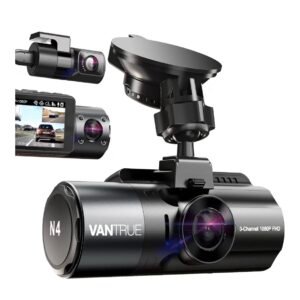
The best way to protect yourself after an accident or a passenger complaint that could lead to deactivation. Get a good dash cam with high-definition video and night vision.La mejor forma de protegerte después de un accidente o de una queja de un pasajero que podría llevar a que te desactiven. Consigue una buena cámara para el auto con video en alta definición y visión nocturna.
G32 DisplayRide AI Cloud Dash CamCámara en la nube con IA DisplayRide
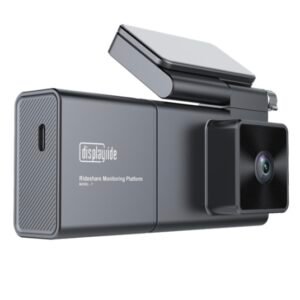
An AI dash cam built for rideshare that saves video to the cloud, so you keep the evidence even if something happens to the camera. It can also alert you to unsafe situations in real time. The video isn't as sharp as a regular high-end dash cam, and it needs a monthly subscription, but having your footage safely in the cloud can be worth it. Many drivers use both: a regular dash cam for the best video, and a cloud camera as backup.Una cámara para el auto con inteligencia artificial, hecha para rideshare, que guarda el video en la nube, así conservas la evidencia aunque le pase algo a la cámara. También puede alertarte en tiempo real de situaciones peligrosas. El video no es tan nítido como el de una buena cámara normal y requiere una suscripción mensual, pero tener tus grabaciones seguras en la nube puede valer la pena. Muchos conductores usan las dos: una cámara normal para el mejor video y una cámara en la nube como respaldo.
G2 Multi Retractable Car Charger StationEstación de carga retráctil múltiple para el auto
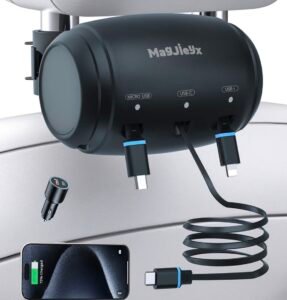
My passengers love this charger!¡A mis pasajeros les encanta este cargador!
G3 Smart Car Interior LightsLuces inteligentes para el interior del auto
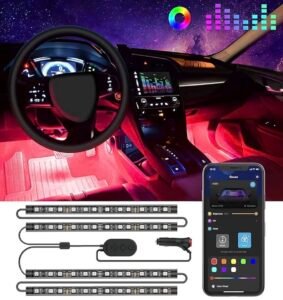
Sets the right mood in your car, and helps passengers find anything they drop on the floor.Crea el ambiente ideal en tu auto y ayuda a los pasajeros a encontrar lo que se les cae al piso.
G4 9-in-1 Cigarette Lighter SplitterDivisor de encendedor 9 en 1
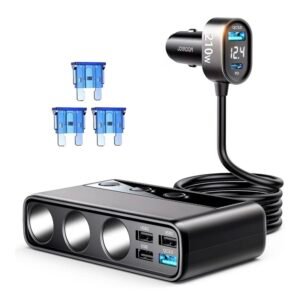
Lets me connect several devices at once, and it fits perfectly in my car's console.Me deja conectar varios aparatos a la vez, y cabe perfecto en la consola de mi auto.
G5 Magnetic Wireless Car Charger MountSoporte magnético con cargador inalámbrico
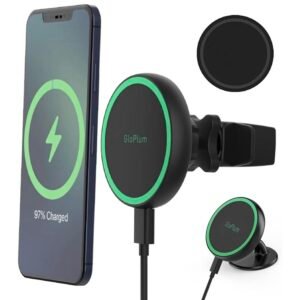
Holds my phone firmly. Perfect for deliveries, because you can grab your phone and take it with you in a second.Sostiene mi celular con firmeza. Perfecto para entregas, porque puedes tomar tu celular y llevártelo en un segundo.
G6 MagicMount Magnetic Phone MountSoporte magnético para celular MagicMount
A small, practical alternative.Una alternativa pequeña y práctica.
Personal SafetySeguridad personal
G7 "Audio and Video Recording" Notice StickerCalcomanía de aviso "Grabación de audio y video"

Saves you trouble by letting passengers know you're recording before they even get in.Te ahorra problemas porque el pasajero sabe que estás grabando antes de subirse.
G9 Hand Sanitizer Gel Pump BottleGel antibacterial con dosificador

Passengers appreciate the gesture, and it improves your chances of a nice tip!Los pasajeros aprecian el detalle, ¡y mejora tus posibilidades de recibir una buena propina!
G10 Barf BagsBolsas para mareo

A lifesaver, even if you don't drive at night. Sometimes people get sick in your car, and they'll be really glad you have these.Te salvan, aunque no manejes de noche. A veces la gente se marea en tu auto, y van a agradecer mucho que las tengas.
G11 150-Piece Premium First Aid KitBotiquín de primeros auxilios de 150 piezas
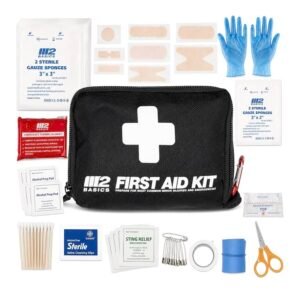
Better to have it and not need it than to need it and not have it.Mejor tenerlo y no necesitarlo, que necesitarlo y no tenerlo.
G12 Emergency Escape Tool: Window Breaker and Seatbelt CutterHerramienta de escape: rompevidrios y cortador de cinturón
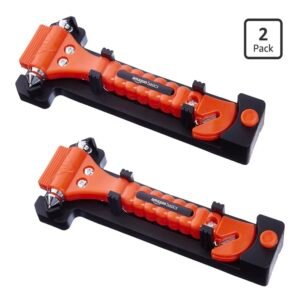
Better safe than sorry. Keep it within reach of the driver's seat.Más vale prevenir que lamentar. Tenlo al alcance del asiento del conductor.
G13 Reflective Safety VestChaleco de seguridad reflectante

Especially useful for deliveries or during an emergency on the road.Muy útil para entregas o durante una emergencia en el camino.
G14 High-Visibility Reflective Safety CapGorra de seguridad reflectante de alta visibilidad

A nice alternative to a safety vest.Una buena alternativa al chaleco de seguridad.
G15 Long Hooded Waterproof Rain PonchoPoncho impermeable largo con capucha

Especially useful when you get a flat tire and it's pouring rain.Muy útil cuando se te poncha una llanta y está lloviendo a cántaros.
Car Safety & RoadsideSeguridad del auto y en el camino
G16 Flat Tire Emergency Kit (sealant and inflator pump)Kit de emergencia para llanta ponchada (sellador e inflador)
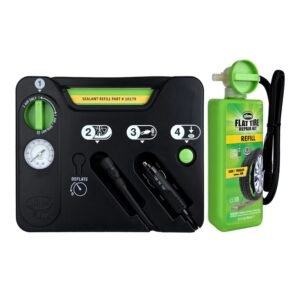
A lifesaver, especially if you get a flat with a passenger in the car. Been there, done that!Te salva, sobre todo si se te poncha una llanta con un pasajero en el auto. ¡Ya me pasó!
G17 Portable Lithium Jump StarterArrancador portátil de litio
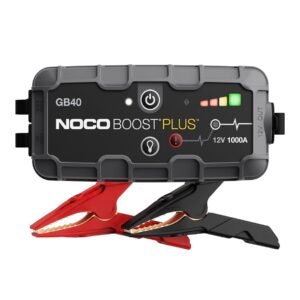
No more looking for a Good Samaritan with jumper cables!¡Ya no tendrás que buscar a un buen samaritano con cables para pasar corriente!
G18 Emergency Car Flashlight with Seatbelt Cutter and Window BreakerLinterna de emergencia con cortador de cinturón y rompevidrios

A versatile, multi-function tool.Una herramienta versátil con varias funciones.
G19 Safety Triangles, 3-Pack (DOT approved)Triángulos de seguridad, paquete de 3 (aprobados por el DOT)
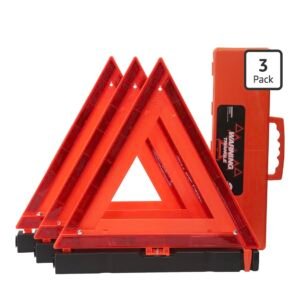
Makes your car easy to see if you have to stop on the side of the road, day or night.Hace que tu auto se vea fácilmente si tienes que detenerte a un lado del camino, de día o de noche.
G20 Steering Wheel LockBastón de seguridad para el volante
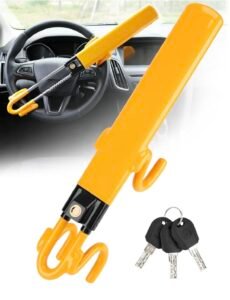
Keeps the crooks away!¡Mantiene alejados a los ladrones!
Comfort & AccessoriesComodidad y accesorios
G21 Car Seat OrganizerOrganizador para el asiento del auto
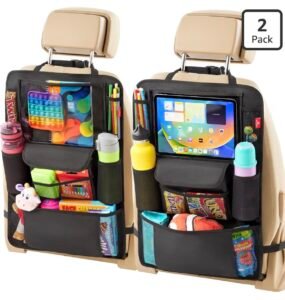
I put my tip sign in the clear pocket made for a tablet, and keep hand sanitizer and barf bags in it for my passengers.Pongo mi banner de propinas en el bolsillo transparente hecho para una tablet, y guardo ahí gel antibacterial y bolsas para mareo para mis pasajeros.
G22 Universal Waterproof Seat Covers, Full SetFundas impermeables universales para asientos, juego completo
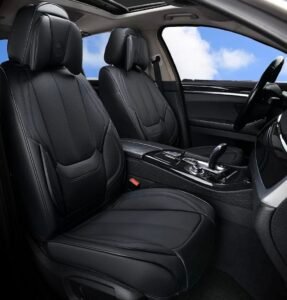
Incredibly useful to prevent messes from spills, and really easy to clean.Increíblemente útiles para evitar desastres por derrames, y muy fáciles de limpiar.
G23 Deep-Dish All-Weather Car MatsTapetes profundos para todo clima
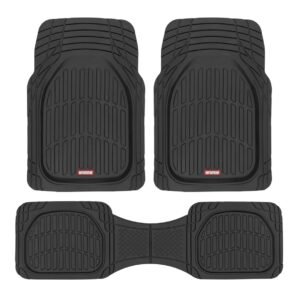
Perfect for spills: the deep design keeps liquids contained.Perfectos para derrames: su diseño profundo contiene los líquidos.
G24 Insulated Portable Drink CaddyPortabebidas térmico portátil
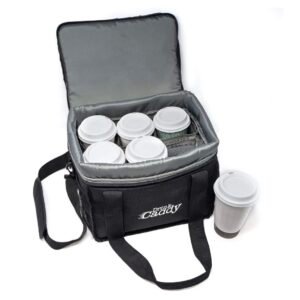
Great for deliveries, or just to keep your own drinks.Ideal para entregas, o simplemente para tus propias bebidas.
CleaningLimpieza
G25 Cordless Handheld VacuumAspiradora de mano inalámbrica
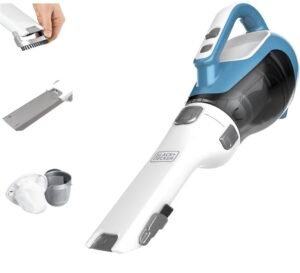
A spotless car improves your chances of getting more tips!¡Un auto impecable mejora tus posibilidades de recibir más propinas!
G26 Air Sanitizer and Odor Eliminator SprayAerosol desinfectante y eliminador de olores

Especially handy after a passenger leaves a strong smell behind (yes, including weed!).Muy útil cuando un pasajero deja un olor fuerte (¡sí, también a mariguana!).
G27 Microfiber Cleaning ClothsPaños de microfibra para limpiar

Lint-free and reusable, for the dashboard, screens and windows.Sin pelusa y reutilizables, para el tablero, las pantallas y las ventanas.
G28 15.9" Window SqueegeeJalador para vidrios de 15.9"
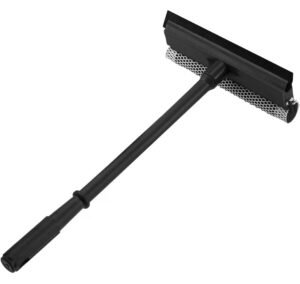
Clear windows in seconds, at home or at the gas station.Ventanas limpias en segundos, en casa o en la gasolinera.
G29 Disinfecting WipesToallitas desinfectantes

I use these all the time, especially when a passenger leaves a little mess. You'd be surprised what some people leave behind, bodily fluids included.Las uso todo el tiempo, sobre todo cuando un pasajero deja un pequeño desastre. Te sorprendería lo que algunas personas dejan, incluso fluidos corporales.
G30 Streak-Free Glass Cleaner WipesToallitas limpiavidrios sin rayas

The best window-cleaning wipes I've tried so far.Las mejores toallitas para limpiar vidrios que he probado hasta ahora.
OtherOtros
G8 Octopus Game Tablet (free): earn extra moneyTablet de juegos Octopus (gratis): gana dinero extra

A free game tablet for your passengers that earns you extra money. Kids and adults love it!Una tablet de juegos gratis para tus pasajeros que te ayuda a ganar dinero extra. ¡A niños y adultos les encanta!
Referral link: ESW may earn a reward if you sign up.Enlace de referido: ESW puede recibir una recompensa si te registras.
G31 Sugar-Free Mint Gum, Mega PackChicle de menta sin azúcar, paquete grande

Helps me stay fresh and alert on long trips. If you're truly tired, though, take a break: no ride is worth driving drowsy.Me ayuda a mantenerme fresco y alerta en viajes largos. Pero si de verdad estás cansado, toma un descanso: ningún viaje vale la pena manejando con sueño.
START HEREHow it works, a sample week to try, and your driver preferences
SEE HOW IT WORKSThree easy ways to use it, plus a sample Uber & Lyft week to try
The Miles Nobody Counts
Every shift has a second story, and no app is telling it.
It’s the drive across town to get back to a busy area. The 40 minutes at the charger. The gas station, the car wash, the parking lot where you sat waiting for the next ride request.
Uber and Lyft don’t pay you for those miles, and they don’t count them. Mileage trackers only see that you drove, not why.
Only you know that part of the story.
When you’re charging, fueling, washing the car or doing other work for your rideshare business, switch the Workday Timer to Unpaid Work. The app doesn’t record which task it was, only that it was business time that paid you nothing. Waiting for a ride request or moving to a busier area while you’re online counts as Rideshare. Your odometer and unpaid miles catch the extra driving. That time and those miles aren’t just unpaid: they cost you money in fuel or charging, wear on your car, and hours you could have spent earning. A few taps a day turn that hidden cost into the most honest number in your business.
That number answers the question that matters most: are you making a profit, breaking even, or quietly losing money?
Only then can you decide with confidence. Keep driving and drive smarter, or move on to something that pays you and your family what your time is really worth.
Keep reading. See what this app can reveal about your business, how to add your rides without spreadsheets, and how to try it all with a sample week first.
What you’ll find out
- What you really keep after vehicle costs and your tax reserve.
- Your real hourly rate, including waiting and unpaid miles.
- Which days, times, rides and platforms pay you best.
- What to change to make your time on the road worth more.
Experiment with the numbers. Try different Ideal and Minimum targets, cost per mile and tax reserve in Driver Preferences. The same rides can look very different, which shows you what drives your profit.
Three ways to get your rides in — no spreadsheets needed
Most drivers keep accepting rides without ever finding out which ones were worth it. ESW does the math for you: add your rides in whichever way suits you, and the reports do the heavy lifting.
- In real time — the most complete picture. Check offers with the Trip Calculator and run the Workday Timer. It captures what Uber and Lyft records never show: waiting between rides, charging or fueling, car washes, breaks and unpaid miles. That hidden time is often where profit quietly disappears. Use it only when you are safely parked.
- After your shift — add completed trips. Enter rides manually from your Uber or Lyft ride history later that day or at the end of the week. Just don’t type the same ride twice — imported Uber files are matched automatically.
- Import your Uber files. PRO Download your trip reports from Uber and let ESW import them, with Uber’s exact pay, tips, times and miles (in Add Your Rides → Import Uber Files). For realistic results, also run the Workday Timer, enter your odometer at the beginning and end of your workday, and log unpaid miles such as driving to charge or fuel, repositioning, or driving to a reserved ride’s pickup. Unfortunately, Lyft doesn’t provide any trip file, not even a PDF, so add your Lyft rides after your shift (option 2).
Tools that complete the picture
Workday Timer: choose Rideshare while you’re online or driving passengers, Unpaid Work for charging, fueling or cleaning, and Break, Project, Exercise or Errands for everything else.
Odometer and Unpaid / Empty Mileage: optional, but they catch miles that individual trips miss.
Additional earnings: add Quests, guarantees and other bonuses under Promotions & Bonuses in the reports.
Tips outside the app: log cash, Venmo and other tips under Tips Analysis in the reports, so they count without throwing off your Uber and Lyft totals.
Know your true operating cost
Profit starts with knowing what your vehicle really costs to run. Use the ESW Rideshare True Operating Cost Calculator to estimate your cost per mile, then enter it in Driver Preferences. Together, the two tools move you from “How much did I make?” to “How much did I actually keep?”
Your data stays yours — back it up
Everything is stored only in this browser; ESW never receives your records. Browser data can be cleared or lost, so export a backup regularly from the data backup section near the bottom of the page, where you can also download CSV files for your own records.
The tax reserve is a planning estimate, not your actual tax liability. You don’t have to use every tool; start with what’s useful to you.
Built by a driver, for drivers
ESW Rideshare Profit Analyzer was created by Ed Silva, a full-time rideshare driver since 2017 with more than 30,000 completed trips. It grew out of the decisions drivers face every day: which offers to take, unpaid pickup and repositioning miles, waiting time, vehicle costs and the gap between gross pay and what you actually keep.
Ed is also an engineer, with a bachelor’s degree in Electronics and Automation Engineering, and he builds websites and web apps. This app combines both: a driver’s real-world experience and an engineer’s approach to data.
“It’s better to make a bad decision based on reliable information than an excellent decision based on wrong information.”
— Ed Silva
The core tools are free, forever. If you’d like to support Ed’s work, you can buy him a coffee with the coffee cup button in the lower-left corner. Visit ESW WordPress Plugins for more ESW tools.
Ready to See Your Real Numbers?
Try it risk-free with a realistic six-day Uber and Lyft week. Open the reports and see your bottom line, your real hourly rate and your best days. Remove it in one tap when you’re ready. Or skip the sample and start tracking your own workday right now.
Las millas que nadie cuenta
Cada turno tiene una segunda historia, y ninguna aplicación la está contando.
Es el viaje al otro lado de la ciudad para volver a una zona con más demanda. Los 40 minutos en el cargador. La gasolinera, el lavado de auto, el estacionamiento donde esperaste la próxima solicitud de viaje.
Uber y Lyft no te pagan esas millas, y no las cuentan. Las aplicaciones de millaje solo ven que manejaste, no por qué.
Solo tú conoces esa parte de la historia.
Cuando estés cargando, poniendo gasolina, lavando el auto o haciendo otro trabajo para tu negocio de rideshare, cambia el Cronómetro de jornada a Trabajo sin pago. La app no registra qué tarea fue, solo que fue tiempo de trabajo que no te pagó nada. Esperar una solicitud de viaje o moverte a una zona con más movimiento mientras estás conectado cuenta como Rideshare. Tu odómetro y tus millas sin pago registran el manejo extra. Ese tiempo y esas millas no solo no se pagan: te cuestan dinero en gasolina o carga, desgaste del auto y horas que pudiste usar para ganar. Unos pocos toques al día convierten ese costo oculto en el número más honesto de tu negocio.
Ese número responde la pregunta más importante: ¿estás ganando, quedando a mano o perdiendo dinero sin darte cuenta?
Solo entonces puedes decidir con confianza. Sigue manejando y hazlo de forma más inteligente, o pasa a algo que te pague a ti y a tu familia lo que tu tiempo realmente vale.
Sigue leyendo. Descubre lo que esta app puede revelar de tu negocio, cómo agregar tus viajes sin hojas de cálculo y cómo probarlo todo primero con una semana de ejemplo.
Lo que vas a descubrir
- Cuánto te queda realmente después de los costos del vehículo y tu reserva para impuestos.
- Tu tarifa real por hora, incluida la espera y las millas sin pago.
- Qué días, horarios, viajes y plataformas te pagan mejor.
- Qué cambiar para que tu tiempo en la calle valga más.
Experimenta con los números. Prueba distintas metas Ideal y Mínima, costo por milla y reserva para impuestos en Preferencias del conductor. Los mismos viajes pueden verse muy diferentes, y eso te muestra qué determina tu ganancia.
Tres formas de registrar tus viajes, sin hojas de cálculo
La mayoría de los conductores acepta viajes sin llegar a saber cuáles valieron la pena. ESW hace las cuentas por ti: registra tus viajes de la forma que te resulte más cómoda y los informes hacen el trabajo pesado.
- En tiempo real: la imagen más completa. Evalúa ofertas con la Calculadora de viajes y usa el Cronómetro de jornada. Así registras lo que los informes de Uber y Lyft nunca muestran: la espera entre viajes, cargar o poner combustible, lavar el auto, los descansos y las millas sin pago. Ese tiempo oculto suele ser donde la ganancia desaparece sin que lo notes. Úsalo solo cuando estés estacionado de forma segura.
- Después de tu turno: agrega viajes completados. Ingresa manualmente los viajes de tu historial de Uber o Lyft más tarde ese día o al final de la semana. Solo no escribas el mismo viaje dos veces: los archivos de Uber importados se emparejan automáticamente.
- Importa tus archivos de Uber. PRO Descarga tus informes de viajes de Uber y deja que ESW los importe, con el pago, las propinas, las horas y las millas exactas de Uber (en Agrega tus viajes → Importar archivos de Uber). Para resultados realistas, usa también el Cronómetro de jornada, ingresa tu odómetro al inicio y al final de tu jornada, y registra las millas sin pago, como ir a cargar o poner combustible, reposicionarte o manejar hasta la recogida de un viaje reservado. Lamentablemente, Lyft no ofrece ningún archivo de viajes, ni siquiera un PDF, así que agrega tus viajes de Lyft después de tu turno (opción 2).
Herramientas que completan la imagen
Cronómetro de jornada: elige Rideshare mientras estás conectado o llevando pasajeros, Trabajo sin pago para cargar, poner combustible o limpiar, y Descanso, Proyecto, Ejercicio o Mandados para todo lo demás.
Odómetro y millaje sin pago / vacío: son opcionales, pero capturan millas que los viajes individuales no registran.
Ingresos adicionales: agrega Quests, garantías y otros bonos en Promociones y bonos dentro de los informes.
Propinas fuera de la app: registra propinas en efectivo, Venmo y otras en Análisis de propinas dentro de los informes, para que cuenten sin descuadrar tus totales de Uber y Lyft.
Conoce tu costo operativo real
La ganancia empieza por saber cuánto cuesta realmente operar tu vehículo. Usa la Calculadora ESW del Costo Operativo Real de Rideshare para estimar tu costo por milla y luego ingrésalo en Preferencias del conductor. Juntas, las dos herramientas te llevan de “¿Cuánto gané?” a “¿Cuánto me quedó de verdad?”
Tus datos son tuyos: respáldalos
Todo se guarda solo en este navegador; ESW nunca recibe tus registros. Los datos del navegador se pueden borrar o perder, así que exporta un respaldo con frecuencia desde la sección de respaldo de datos cerca del final de la página, donde también puedes descargar archivos CSV para tus propios registros.
La reserva para impuestos es una estimación para planificar, no tu obligación fiscal real. No tienes que usar todas las herramientas; empieza por las que te sirvan.
Creado por un conductor, para conductores
ESW Rideshare Profit Analyzer fue creado por Ed Silva, conductor de rideshare de tiempo completo desde 2017 con más de 30,000 viajes completados. Nació de las decisiones que los conductores enfrentan cada día: qué ofertas aceptar, las millas sin pago de recogida y reposicionamiento, el tiempo de espera, los costos del vehículo y la diferencia entre el pago bruto y lo que realmente te queda.
Ed también es ingeniero, con una licenciatura en Ingeniería Electrónica y Automatización, y desarrolla sitios web y aplicaciones web. Esta aplicación combina ambas cosas: la experiencia real de un conductor y el enfoque de un ingeniero hacia los datos.
“Es mejor tomar una mala decisión con información confiable que una excelente decisión con información equivocada.”
— Ed Silva
Las herramientas principales son gratis, para siempre. Si quieres apoyar el trabajo de Ed, puedes invitarle un café con el botón de la taza en la esquina inferior izquierda. Visita ESW WordPress Plugins para conocer más herramientas de ESW.
¿Listo para ver tus números reales?
Pruébalo sin riesgo con una semana realista de seis días con Uber y Lyft. Abre los informes y ve tu resultado final, tu tarifa real por hora y tus mejores días. Elimínala con un toque cuando estés listo. O sáltate la muestra y empieza a registrar tu propia jornada ahora mismo.
Delete Data lets you choose what to erase from this browser: trips by type, timer and odometer history, earnings, expenses, maintenance reminders or Driver Preferences. You can save a backup first.
WHAT DOES EACH MILE REALLY COST YOU?Free ESW True Operating Cost Calculator — find your real cost per mile
Do you know what each mile really costs you?
Gas or charging is just the start. Insurance, maintenance, tires, depreciation and repairs all add up — and most drivers underestimate them. Without your real cost per mile, every ride looks more profitable than it is.
Take a few minutes to calculate your number with the free ESW Rideshare True Operating Cost Calculator, then enter it in Driver Preferences. Every report here becomes more accurate.
¿Sabes cuánto te cuesta realmente cada milla?
La gasolina o la carga es solo el comienzo. El seguro, el mantenimiento, las llantas, la depreciación y las reparaciones también suman, y la mayoría de los conductores los subestima. Sin tu costo real por milla, cada viaje parece más rentable de lo que es.
Tómate unos minutos para calcular tu número con la Calculadora ESW del Costo Operativo Real de Rideshare, gratuita, y luego ingrésalo en Preferencias del conductor. Cada informe aquí se vuelve más preciso.
DRIVER PREFERENCES
Your targets, cost per mile, and tax reserve
Set your earnings targets and optional business-cost estimates once. They are saved locally on this device and used for future ride calculations.
Green means the ride meets or beats your Ideal target. Yellow means it falls between Ideal and Minimum Acceptable. Red means it falls below Minimum Acceptable. When using Both, the weaker result determines the overall rating.
TODAY’S EARNINGS GOAL
Set a daily target and see how your progress is tracking
Set the gross earnings you want to reach today. Progress uses today’s saved rides, including tips, and adapts to changes in your Workday Timer target.
This is a gross earnings goal, not profit or take-home pay. Vehicle-cost and tax-reserve analysis remains separate.
TRACK YOUR WORKDAY
Timer, odometer and unpaid miles
WORKDAY TIMERRideshare, unpaid work, breaks, projects, and pauses
Separate revenue-focused rideshare time from unpaid work and personal time.
Your active workday can continue across midnight. Trips and timer activity stay with the workday until you end/reset it.
CURRENT WORKDAY TIMELINE No periods yet
Saved only on this device. Closing or refreshing the page will not stop an active workday.
ODOMETERCompare actual vehicle mileage with the miles you recorded
For the most accurate mileage picture, enter your odometer reading before you start working and again when you finish. This helps identify miles not captured by saved trips or recorded empty mileage. Forgot today? No problem—odometer tracking is optional. Consider using it from the start of your next workday.
Unrecorded Miles are the difference between odometer mileage and the ride + empty miles recorded here. They may include personal driving, breaks, repositioning that was not logged, or other mileage.
ADD YOUR RIDESCheck offers live, enter past trips, or import Uber files
CHECK OFFERS IN REAL TIME
Evaluate ride requests and save them as you drive
Your selection stays active until you change it. Custom platforms are saved locally in this browser.
ADD TRIPS FROM YOUR HISTORYEnter rides manually from your Uber or Lyft ride history
Tip: for an accurate analysis, also use the Workday Timer, Odometer and Unpaid Miles during your workday.
Consejo: para un análisis preciso, usa también el Cronómetro de jornada, el Odómetro y las Millas sin pago durante tu jornada.
Unknown pickup information is kept as unavailable, not converted to zero.
IMPORT UBER FILESUp to 32 days at once, about 17 months back (Uber’s limits)
Add up to a month of Uber rides at once — with Uber’s exact pay, tips, times and miles.
How to get the files
- In a web browser, sign in at drivers.uber.com and open Reports.
- Pick a date range. Uber only lets you download up to 32 days at a time, going back about 17 months. These limits are set by Uber, not by this app, so one month at a time works well. Download two CSV reports: Trip Activity (trip_activity) and Payments Transaction (payments_order).
- Tap Choose Uber Files below and select both files together. You’ll see a summary before anything is saved.
Rides you already entered for the same trips are updated instead of counted twice, and importing the same files again doesn’t duplicate anything. Tips that arrive later are added when you import the next month’s Payments Transaction file.
Best results without real-time tracking: during your day, run the Workday Timer (use Unpaid Work for charging, fueling or a car wash), enter your odometer at the beginning and end of your workday, and log your unpaid miles — business driving Uber doesn’t pay for, such as driving to a charger, gas station or car wash, repositioning, or driving from your location all the way to a reserved ride’s pickup. Then import the files: earnings come from Uber, hours from your timer, and the app offers to add missing unpaid miles from your odometer. End and reset the workday every day so each day is saved separately.
Lyft: unfortunately, Lyft doesn’t provide any trip-level file — not even a PDF — that can be imported. Add Lyft rides with the form below.
Privacy: the files are read only on this device. Names, license plates and addresses are never saved.
- En un navegador, inicia sesión en drivers.uber.com y abre Informes (Reports).
- Elige un rango de fechas. Uber solo te deja descargar hasta 32 días a la vez y hasta unos 17 meses atrás. Estos límites los pone Uber, no esta app, así que un mes a la vez funciona bien. Descarga dos informes CSV: Trip Activity (trip_activity) y Payments Transaction (payments_order).
- Toca Elegir archivos de Uber abajo y selecciona ambos archivos juntos. Verás un resumen antes de guardar nada.
Los viajes que ya registraste para los mismos recorridos se actualizan en lugar de contarse dos veces, e importar los mismos archivos otra vez no duplica nada. Las propinas que llegan después se agregan al importar el archivo Payments Transaction del mes siguiente.
Mejores resultados sin registrar en tiempo real: durante tu día, usa el Cronómetro de jornada (usa Trabajo sin pago para cargar, poner combustible o lavar el auto), ingresa tu odómetro al inicio y al final de tu jornada, y registra tus millas sin pago: el manejo de trabajo que Uber no te paga, como ir a un cargador, gasolinera o lavado, reposicionarte o manejar desde tu ubicación hasta la recogida de un viaje reservado. Luego importa los archivos: las ganancias vienen de Uber, las horas de tu cronómetro, y la app te ofrece agregar las millas sin pago que faltan según tu odómetro. Termina y reinicia la jornada cada día para que cada día se guarde por separado.
Lyft: lamentablemente, Lyft no ofrece ningún archivo con el detalle de cada viaje (ni siquiera un PDF) que se pueda importar. Agrega tus viajes de Lyft con el formulario de abajo.
Privacidad: los archivos se leen solo en este dispositivo. Nunca se guardan nombres, placas ni direcciones.
Heads-up: Uber’s files don’t include your charging or fueling time, your odometer readings, or your unpaid miles — and those are real costs of running your business. For an accurate analysis, use the Workday Timer, Odometer and Unpaid Miles during your workday, then add your Uber files or completed trips at the end of the day.
Importante: los archivos de Uber no incluyen tu tiempo de carga o combustible, las lecturas de tu odómetro ni tus millas sin pago, y esos son costos reales de tu negocio. Para un análisis preciso, usa el Cronómetro de jornada, el Odómetro y las Millas sin pago durante tu jornada, y luego agrega tus archivos de Uber o tus viajes completados al final del día.
TRACK YOUR EXPENSESWhere did my money go? Fuel, maintenance, tolls and more
Where did my money go? Log what you spend on fuel, charging, maintenance, tolls and more, then see it by category for any week, month or year. This is a spending report: your profit numbers keep using your cost per mile, so nothing is counted twice.
¿A dónde se fue mi dinero? Registra lo que gastas en combustible, carga, mantenimiento, peajes y más, y velo por categoría en cualquier semana, mes o año. Es un informe de gastos: tus números de ganancia siguen usando tu costo por milla, así que nada se cuenta dos veces.
SAVED TRIPSReview and update rides from your active workday
Saved Trips
UNPAID / EMPTY MILEAGE
Track repositioning and other unpaid driving
Track business driving without a passenger that no platform pays you for — for example, driving to a charging station, gas station or car wash, repositioning to a busier area, or driving from your location all the way to the pickup of a reserved (scheduled) ride. Those miles still cost you money.
Enter time and/or miles to record unpaid driving.
Empty Driving Details No entries yet
RIDESHARE BUSINESS ANALYSIS
One report, any time period
Quests, challenges, guarantees, bonuses or other rideshare earnings that aren’t tied to one specific trip.
Cash, Venmo, Zelle and other tips that never show up in your Uber or Lyft earnings.
Why log them here? Tips sent through the Uber or Lyft app are already part of the app’s earnings, so add those to the ride itself and your totals keep matching the app. Cash and Venmo tips never appear there, and you may not know which ride they came from. Log them here: they count toward your earnings and your tip analysis without throwing off your ride totals.
Save a clean PDF of any day, week, month or year, compare periods side by side, and see your whole year in review.
YOUR FULL UBER HISTORYEvery Uber ride since your first one, for reports
See your whole time driving with Uber: every ride since your first one, by year, month, day and hour.
Your history is kept apart from the rides you add in the app. It is read-only (it can’t be edited), it never changes your other reports, and the rides in it are never counted twice.
Mira todo tu tiempo manejando con Uber: cada viaje desde el primero, por año, mes, día y hora.
Tu historial se guarda aparte de los viajes que agregas en la app. Es de solo lectura (no se puede editar), nunca cambia tus otros informes y sus viajes nunca se cuentan dos veces.
How to get your Uber dataCómo obtener tus datos de Uber
- Open Uber’s page Request a copy of your personal data and follow its steps (sign in with your driver account).
- Uber prepares the file and emails you when it’s ready. It can take a few days, and the download link expires, so download it soon.
- Save the file (a .zip) to your phone or computer.
- Come back here and tap Choose your Uber data file. If your phone opened the zip into a folder, choose the two files driver_lifetime_trips and driver_payments from it instead.
The app reads only those two driver files. It never opens the other files in your download (account, rider and support information), and nothing is sent to this website: it all happens on your device.
- Abre la página de Uber Solicitar una copia de tus datos personales y sigue sus pasos (inicia sesión con tu cuenta de conductor).
- Uber prepara el archivo y te envía un correo cuando está listo. Puede tardar unos días, y el enlace de descarga vence, así que descárgalo pronto.
- Guarda el archivo (un .zip) en tu teléfono o computadora.
- Regresa aquí y toca Elige tu archivo de datos de Uber. Si tu teléfono abrió el zip como una carpeta, elige de ahí los dos archivos driver_lifetime_trips y driver_payments.
La app lee solo esos dos archivos de conductor. Nunca abre los demás archivos de tu descarga (cuenta, pasajero y soporte), y no se envía nada a este sitio web: todo pasa en tu dispositivo.
Your Uber file always has your whole history, so loading a newer one simply replaces the one saved here. You don’t need to remove anything first.Tu archivo de Uber siempre trae todo tu historial, así que al cargar uno más nuevo simplemente reemplaza el que está guardado aquí. No necesitas quitar nada antes.
FREE BONUSESExtra tools and guides for every driver
YOUR NEXT MOVERideshare won’t look the same forever. See what your hours are worth and take small steps now.
ESW FINANCIAL CALCULATORSFree calculators for loans, savings and everyday money decisions
Free, easy calculators to help with loans, savings, debt payoff and everyday money decisions, built by Ed.
Calculadoras gratuitas y fáciles de usar para préstamos, ahorros, pago de deudas y decisiones de dinero del día a día, creadas por Ed.
Disponible en inglés por ahora; pronto en español.
HOW TO GET OUT OF DEBT QUICKLYA practical plan to pay off debt faster, from Ed
A step-by-step article by Ed on paying off debt faster, the same approach he uses to pay off his own credit cards.
Un artículo de Ed, paso a paso, para pagar tus deudas más rápido, con el mismo método que él usa para pagar sus propias tarjetas de crédito.
PRO BONUSESMember extras for Pro drivers
ESW BALANCE FORECASTINGSee future balances for checking, savings, credit cards, loans and cash, personal and business
See your balances before they happen. ESW Balance Forecasting shows your future balances day by day, up to 12 months ahead, for checking, savings, credit cards, loans and cash, both personal and business. It helps you plan your money better, especially when money is tight.
Private, just like this app. No account to create, no bank connection and no banking passwords. Your information is saved only on your device, and ESW never sees it.
How it works:
- Check your current balance in your online banking and type it in.
- Add one-time expenses, or set up recurring income and bills, and watch your balance over time.
- Move money between accounts with transfers, and record credit card and loan payments. Add the interest your cards or loans charge you too, so your balance is accurate every day.
- When a transaction shows up in your bank, mark it as cleared. You can also skip or change a single date of a recurring item without touching the rest.
- See it all in a chart and a day-by-day list, and search any transaction.
Start simple with just your main checking account, then add credit cards and other accounts when you’re ready. Save a backup file anytime, or download your list as a spreadsheet. It works in English and Spanish, in light or dark mode.
Mira el balance futuro de tus cuentas antes de que ocurra. ESW Balance Forecasting te muestra día a día, hasta 12 meses adelante, tus saldos de cheques, ahorros, tarjetas de crédito, préstamos y efectivo, tanto personales como del negocio. Esto te ayuda a planear mejor tu dinero, sobre todo cuando el dinero está apretado.
Privado, igual que esta app. No necesitas crear una cuenta, no hay conexión con tu banco y no se piden contraseñas bancarias. Tu información se guarda solo en tu dispositivo, y ESW nunca la ve.
Cómo funciona:
- Revisa tu saldo actual en la banca en línea y escríbelo.
- Agrega gastos de una sola vez, o crea ingresos y pagos recurrentes, y mira tu saldo con el tiempo.
- Mueve dinero entre cuentas con transferencias y registra pagos de tarjetas de crédito y préstamos. Agrega también los intereses que te cobran tus tarjetas o préstamos, así tu saldo es exacto cada día.
- Cuando una transacción aparezca en tu banco, márcala como aplicada. También puedes saltar o cambiar una sola fecha de un pago recurrente sin tocar las demás.
- Míralo todo en una gráfica y una lista día por día, y busca cualquier transacción.
Empieza simple, solo con tu cuenta de cheques principal, y agrega tarjetas de crédito y otras cuentas cuando estés listo. Guarda un archivo de respaldo cuando quieras, o descarga tu lista como hoja de cálculo. Funciona en inglés y español, en modo claro u oscuro.
DATA TRANSFER & BACKUPExport, import, printable reports, and manage your workday data.
Your rides, workday history, weekly totals, preferences, and analysis are stored locally in this browser. They can be lost if:
- browser or site data/cache/storage is cleared;
- the browser is uninstalled, reset, or its data is removed;
- the device is lost, damaged, replaced, or reset; or
- local browser storage becomes unavailable.
Export a backup regularly if you want to restore your information later on this or another device. A good habit is to export after completing a workweek.
Safari can erase website data after 7 days of browsing without a visit to this site. A Home Screen app is protected from that cleanup. In Safari, tap Share → Add to Home Screen.
Important: the Home Screen app keeps its own separate storage — it won’t see the rides saved here in Safari. Move your data once: tap Export Data here, then open the Home Screen app and tap Import Data. After that, use only the Home Screen app.
Safari puede borrar los datos de un sitio después de 7 días de uso sin visitarlo. Una app en la pantalla de inicio está protegida de esa limpieza. En Safari, toca Compartir → Agregar a pantalla de inicio.
Importante: la app de la pantalla de inicio tiene su propio almacenamiento separado: no verá los viajes guardados aquí en Safari. Mueve tus datos una vez: toca Exportar datos aquí, abre la app de la pantalla de inicio y toca Importar datos. Después, usa solo la app de la pantalla de inicio.
Its data is kept separately from Safari. If you also saved rides in Safari, move them here once with Export Data (in Safari) and Import Data (here), then keep using only this app. Keep exporting backups.
Sus datos se guardan por separado de Safari. Si también guardaste viajes en Safari, muévelos aquí una vez con Exportar datos (en Safari) e Importar datos (aquí), y luego usa solo esta app. Sigue exportando respaldos.
Your data lives only on this device. It is not stored on our website, so we can’t recover it for you. Clearing your browser’s data, switching phones, or running out of storage can erase it. Download a backup at least once a week, keep your yearly archive files somewhere safe (email them to yourself or save them to cloud storage), and you’ll never lose your history.
Tus datos viven solo en este dispositivo. No se guardan en nuestro sitio web, así que no podemos recuperarlos por ti. Borrar los datos del navegador, cambiar de celular o quedarte sin espacio puede eliminarlos. Descarga un respaldo al menos una vez por semana, guarda tus archivos anuales en un lugar seguro (envíatelos por correo o guárdalos en la nube) y nunca perderás tu historial.
Tip: create one folder on your computer or phone, like Rideshare Records, and keep every backup and CSV file there. If you change devices or your browser data is cleared, you’ll know exactly where to find them.
How do I do this?
Keep all your files in one place. Create a folder called Rideshare Records and save every backup and CSV file there.
iPhone or iPad
- Open the Files app (blue folder icon).
- Tap Browse, then iCloud Drive.
- Tap the ⋯ button at the top, then New Folder.
- Type Rideshare Records and tap Done.
- When you save a backup, your iPhone usually puts it in Downloads. To move it: open Files → Downloads, touch and hold the file, tap Move, choose Rideshare Records, then tap Move.
- If a Save to Files screen appears instead, just pick Rideshare Records there.
Android
- Open your Files app. On Samsung phones it’s called My Files.
- Open Internal storage.
- Tap the ⋮ menu, then New folder or Create folder.
- Name it Rideshare Records.
- Saved files usually go to Downloads. To move one, touch and hold the file, tap ⋮, then Move to, and choose Rideshare Records.
Computer
- Windows: open File Explorer → Documents → right-click → New → Folder.
- Mac: open Finder → Documents → File → New Folder.
- Name it Rideshare Records, then drag your downloaded backup and CSV files into it.
Tip: use a folder in your own iCloud Drive or Google Drive, so your backups survive even if you lose your phone. That’s your personal account. ESW never sees these files.
Menu names can change a little between phone brands and system versions.
Consejo: crea una carpeta en tu computadora o celular, por ejemplo Registros Rideshare, y guarda ahí todos tus respaldos y archivos CSV. Si cambias de dispositivo o se borran los datos del navegador, sabrás exactamente dónde encontrarlos.
¿Cómo lo hago?
Guarda todos tus archivos en un solo lugar. Crea una carpeta llamada Registros Rideshare y guarda ahí todos tus respaldos y archivos CSV.
iPhone o iPad
- Abre la app Archivos (ícono de carpeta azul).
- Toca Explorar y luego iCloud Drive.
- Toca el botón ⋯ arriba y luego Nueva carpeta.
- Escribe Registros Rideshare y toca OK.
- Cuando guardas un respaldo, tu iPhone normalmente lo pone en Descargas. Para moverlo: abre Archivos → Descargas, mantén presionado el archivo, toca Mover, elige Registros Rideshare y toca Mover.
- Si en cambio aparece la pantalla Guardar en Archivos, simplemente elige Registros Rideshare ahí.
Android
- Abre tu app de Archivos. En los celulares Samsung se llama Mis archivos.
- Abre Almacenamiento interno.
- Toca el menú ⋮ y luego Nueva carpeta o Crear carpeta.
- Llámala Registros Rideshare.
- Los archivos guardados normalmente van a Descargas. Para mover uno, mantén presionado el archivo, toca ⋮, luego Mover a, y elige Registros Rideshare.
Computadora
- Windows: abre el Explorador de archivos → Documentos → clic derecho → Nuevo → Carpeta.
- Mac: abre Finder → Documentos → Archivo → Nueva carpeta.
- Llámala Registros Rideshare y arrastra ahí tus respaldos y archivos CSV descargados.
Consejo: usa una carpeta en tu propio iCloud Drive o Google Drive, así tus respaldos se salvan aunque pierdas el celular. Es tu cuenta personal. ESW nunca ve estos archivos.
Los nombres de los menús pueden cambiar un poco según la marca del celular y la versión del sistema.
Export creates a local JSON backup of this calculator’s saved data. Import replaces this calculator’s current saved data on this browser after confirmation.
Is Rideshare Still Worth It?
Is Rideshare Still Worth It?
Long-time drivers have seen how much rideshare has changed. Today, what Uber or Lyft pays you doesn’t tell you whether you’re actually making money.
Gross pay isn’t profit. Your vehicle costs money to run, unpaid miles add up, and your time has value too.
There may be another reason to watch the numbers closely. In an investigation by More Perfect Union, research by Len Sherman of Columbia Business School shows a widening gap between what passengers pay and what drivers receive. Sherman estimates that Uber’s share of each fare has grown substantially in recent years. Uber disputes this, saying costs such as commercial insurance explain much of the difference.
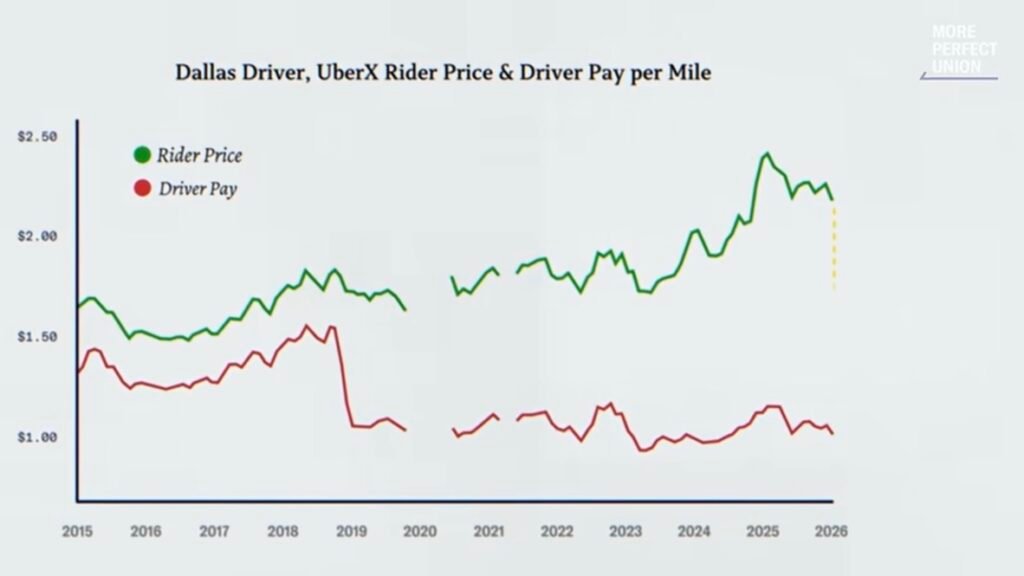
Watch the More Perfect Union video at about 5:29 to see the chart and explanation Watch video.
That’s why I created the ESW Rideshare Profit Analyzer and the ESW Rideshare True Operating Cost Calculator: to help drivers look past gross earnings and see what their rides and workday are really worth.
Every driver, vehicle and market is different. Your numbers may show that you’re doing great, that a few changes could improve your results — or that rideshare is no longer worth your time.
The goal isn’t to convince you to drive or to quit. It’s to give you better information so you can decide for yourself.
There’s only one way to know: follow the numbers.
“It’s better to make a bad decision based on reliable information than an excellent decision based on wrong information.” – Ed Silva

Full-Time Rideshare Driver Since 2017
Rideshare Without the Sugarcoating
I’ve been driving rideshare full-time since 2017. I’ve seen good days, terrible days, changing pay, difficult passengers, accidents, traffic, long airport waits, expensive vehicle costs — and yes, days when the money was very good.
If you’re thinking about driving for Uber, Lyft or another rideshare company, here’s what I wish every new driver understood before jumping in.
Before You Start
Don’t buy a brand-new car just to do rideshare. If you already have a reliable car that qualifies, start with it. If you need to buy one, consider a reliable used car a few years old. Rideshare puts huge mileage and depreciation on a vehicle, and a large new-car payment makes that much harder to cover.
Try it before you build your life around it. Start part-time if you can. Learn your market, the best times of day, traffic patterns, airport behavior and which rides actually work for you before you make big financial decisions based on what you think you’ll earn.
Don’t assume your personal insurance covers rideshare. Tell your auto insurer you drive for Uber, Lyft or another platform, and ask whether you need a rideshare (TNC) endorsement. A standard personal policy may exclude or limit coverage during parts of rideshare activity, and the platform’s insurance may not cover every situation the way you expect. That can leave expensive gaps after an accident. Don’t wait until something happens to find out what is — and isn’t — covered.
Plan for taxes from day one. As an independent contractor, nothing is withheld from your pay. You may owe self-employment tax and need to make quarterly estimated payments. Set money aside from every week, and track your business miles: the mileage deduction can lower your tax bill significantly. A tax professional can tell you what applies to you.
Know Your Real Numbers
Gross earnings aren’t profit. Making $200 doesn’t mean you made $200. Your vehicle had to produce that money. Fuel or charging, maintenance, tires, depreciation, insurance, rental costs and empty miles all count. Know your cost per mile. Find your cost per mile here.
A great day isn’t a normal day. Drivers love talking about that amazing $300 or $400 day. The better question is: what do you consistently average over many ordinary days — and how many hours and miles does it take? One great screenshot doesn’t show what the business normally produces.
Big weekly numbers mean little without the hours. Yes, some drivers consistently gross $2,000, $2,500, $3,000 or more. But ask the second question: how much time did it take? Someone working seven days a week, 14–16 hours a day, can post an impressive weekly total while earning much less for every hour of their life it took.
The airport isn’t automatically where the money is. An airport trip can be excellent. Sitting in the queue for a long time waiting for one may not be. Count the waiting time and empty miles — not just the fare you eventually get.
Your highest-paying ride isn’t always your most profitable one. A $40 offer with a long pickup, heavy traffic and lots of miles can be worse than several smaller rides. Judge offers by time and mileage, not just dollars.
Unpaid miles still cost money. Driving to a better area, returning from a far drop-off, heading to a charger or driving around waiting for work earns nothing, but your car is still adding miles and costs.
Your time counts even without a passenger. Charging, fueling, cleaning and waiting for requests all take part of your day. That’s why I separate what the rides themselves pay from what you actually earned for your whole rideshare day.
Flexibility is valuable — but it can hide poor economics. Working whenever you want is one of rideshare’s biggest advantages, and that freedom may be worth a lot to you. But flexibility doesn’t turn an unprofitable business into a profitable one.
Stay in Control
Don’t depend on just one app. Using several gig apps gives you more opportunities and less waiting for the next worthwhile offer. Besides Uber and Lyft, consider food delivery, grocery shopping, package delivery or other legitimate gig platforms in your area. The goal isn’t to stay constantly busy — it’s to have more options, so you can be more selective. Compare the time, miles, effort and real profit of each, and let the numbers decide.
Be careful with incentives and gamification. Gig apps are designed to keep you driving. Streaks, bonuses, status levels, notifications, maps and goals can all influence when and how long you work. Treat them as business information, not instructions. A bonus isn’t worth it if chasing it makes you accept bad rides or work hours that don’t make economic sense.
Low offers teach the algorithm. The more low-paying offers drivers accept, the more proof the algorithm has that a driver will take them at that price. We don’t know exactly how Uber’s or Lyft’s algorithms set each offer, but there’s little reason for a platform to pay more when drivers keep accepting less. You can’t control what the app sends you, but you can control what you accept. Know your minimums, follow the numbers, and remember: busy isn’t the same as profitable.
Never take cash rides outside the app. A passenger offering cash to skip the app may seem like easy money, but the risk is enormous. Off-app rides break platform rules and can get you deactivated. They aren’t covered by the platform’s insurance. If your personal insurer finds out, it may refuse to cover you or your passengers, and it can even cancel your policy. If there’s an accident, you could be on your own for everyone’s injuries and any property damage. No cash fare is worth that.
Put your safety first. A dash camera protects you in disputes and accidents. Trust your instincts: you can cancel a ride or end a trip if something feels wrong. Your safety is worth more than any fare.
Safety comes before the next ride. No fare is worth an accident. Never use calculators or other distracting tools while the car is moving. Fatigue matters too: very long days may produce bigger gross numbers, but traffic, passengers, weather and exhaustion raise the risk with every hour behind the wheel. A dash camera can protect you in disputes and accidents, and you can always cancel or end a trip if something feels wrong.
Quick money can be hard to walk away from. People rarely talk about this. You can turn on an app and start earning almost immediately. That convenience can make rideshare hard to leave even when the numbers aren’t what they used to be. Every so often, ask yourself whether you’re still driving because it makes financial sense — or simply because you’re used to it.
Your interests and the platform’s aren’t the same. Uber and Lyft are businesses, and you should treat your driving as one too. Their goal isn’t to maximize your earnings. It’s your job to decide which offers, hours and conditions make sense for you.
Autonomous vehicles are part of the equation. Self-driving cars are no longer a distant idea; they’re becoming part of the rideshare business. Platforms have strong financial reasons to lower the cost of each ride, and drivers are a big part of that cost. Nobody knows how fast this will happen or how much it will affect drivers. But if rideshare is a major part of your income, treat it as a business that could change dramatically, not one that will always be there.
Know When Enough Is Enough
Rideshare doesn’t have to be “this is my career forever” or “I quit.” It can be full-time, part-time, extra income, something temporary, or something you eventually stop doing.
Treat it like a business. Know your cost per mile. Track your time. Watch your unpaid miles. Understand what you actually keep after expenses. Look at several ordinary days instead of your best day.
Then ask yourself one simple question:
If I knew before starting today exactly how much money, time, mileage, vehicle wear and stress this day would take, would I still choose to do it?
If the answer is yes, great.
If the answer keeps becoming no, don’t ignore what your own numbers are telling you.
No hype. No bragging screenshots. No sugarcoating. Just follow the numbers.
Already Using GigU or Gridwise?
If you already use GigU or Gridwise, that’s great — I use them too.
So why also use the ESW Rideshare Profit Analyzer? Because these tools complement each other.
GigU can automatically evaluate incoming ride requests based on your preferences. Gridwise offers features like automatic mileage tracking, expense tracking, earnings information and other driver insights.
The Profit Analyzer does something different: it takes a closer look at individual rides and your whole workday, using your own targets, cost per mile, time, mileage, unpaid miles and optional tax reserve.
Use It Your Way
You can use the Profit Analyzer before you accept a ride, after you finish it, or both.
Before you accept: “Should I take this ride?”
If you don’t use something like GigU to check incoming offers, enter the offer in the Trip Calculator, either by typing it or by using Voice Input (beta): just say the numbers, like “20, 3, 11, 5, 10”, and the fields fill in for you. Check the offer by time, by mileage, or both. Based on the Ideal and Minimum rates you set, you get a simple green, yellow or red result. You don’t need to fill in every field; enter what you have, and always double-check the numbers before you accept.
After you drive: “Was this ride actually worth it?”
Prefer to just drive? Add your completed rides later from your Uber or Lyft trip history, or import your Uber files, while safely parked, on a break or at the end of the day. The reports then show what each ride really earned after your vehicle costs.
But you don’t have to use it with live ride requests at all. Keep using GigU for that — or just focus on driving — and later enter the rides you actually completed from your Uber or Lyft trip history. Do it while safely parked, on a break or at the end of the day.
Import your Uber trips. Instead of typing rides in, download your Trip Activity and Payments Transaction reports from drivers.uber.com and import them in Add Completed Trips. You get Uber’s exact pay, tips, times and miles, and rides you already entered aren’t counted twice.
For realistic results, also:
- run the Workday Timer during your day
- enter your odometer at the beginning and end of each workday
- log your unpaid miles
Unpaid miles are business driving that Uber doesn’t pay you for, such as:
- driving to a charging station, gas station or car wash
- repositioning to a busier area
- driving from your location all the way to a reserved ride’s pickup
Those miles still cost you money, and Uber’s files don’t include them.
Unfortunately, Lyft doesn’t provide any trip file, not even a PDF, so Lyft rides are still entered by hand.
Look Beyond the Rides
Even if you never use it to check an offer, you can use the Workday Timer to see how your day is really spent, and record unpaid miles such as repositioning or driving to fuel or charge.
Those miles matter: they still put costs and wear on your car, even with no passenger. If you know your cost per mile, the Profit Analyzer estimates what they’re costing you.
Don’t know your cost per mile? That’s what the free ESW Rideshare True Operating Cost Calculator is for. It turns the costs of your specific vehicle into an estimated cost per mile. Find your cost per mile here.
Neither tool is a daily expense tracker. You don’t log every tank of gas, charge, car wash or repair. The cost-per-mile calculator gives you that one important number, and the Profit Analyzer uses it to analyze the miles you drive.
We’re not trying to track every dollar you spend. We’re trying to understand what every mile costs you — and what your rideshare earnings are really worth.
See the Whole Day
As you save rides, record unpaid miles and use the Workday Timer, the Rideshare Business Analysis brings it all together — for today, this week, this month or any period you choose.
Add an optional tax reserve in Driver Preferences, and you’ll see past gross earnings to what’s left after estimated vehicle costs and taxes.
You don’t have to do this every day. Try it for a few days, a week, or however long it takes to see your patterns.
You may discover you’re doing great. You may find ways to cut unpaid miles, avoid long pickups, work different hours or be more selective. Or the numbers may tell you something more important: rideshare isn’t as profitable as you thought.
That’s what the Profit Analyzer is for.
Use the tools that work for you — but know your numbers.
Check Offers Safely: One Ride at a Time
Here’s the routine that works best for me:
- Accept a ride, then go offline. No new offers will pop up while you’re driving.
- Drop off the passenger, park safely, then go back online.
- When the next request comes in, check it in the Profit Analyzer while you’re still parked. Take a moment to look at the numbers and decide.
- If you accept, go offline again until that trip is done, then repeat.
Never use the Profit Analyzer while your vehicle is moving. No ride is worth risking your safety, or anyone else’s, just to check a few numbers.
This routine has helped me become more selective, make better decisions, cut unnecessary driving and focus on rides that are worth my time and miles — while keeping safety first.
Got an Old Phone in a Drawer? Use It as Your Profit Screen
Many drivers already have more than one smartphone. I use an iPhone and an Android: one for Uber and Lyft, the other for everything else, including the Profit Analyzer.
It’s very convenient: I can see a ride request on one phone while checking the numbers on the other, instead of switching apps on the same device. Of course, only do this while safely parked, never while moving.
The second phone doesn’t need its own phone plan. The Profit Analyzer is a web app, so there’s nothing to install from an app store. Just connect the second phone to your main phone’s personal hotspot and open the page in its browser.
That old phone may be all you need. Because the Profit Analyzer runs in the browser, you don’t need the latest iPhone or Android. If the phone can connect to Wi-Fi, run a reasonably modern browser and load the page properly, you’re set.
Add it to the Home Screen so it opens like a regular app. On iPhone, open the page in Safari, tap Share → Add to Home Screen.
Important for iPhone: the Home Screen version keeps its own saved data, separate from Safari. If you already saved rides in Safari, move them once: tap Export Data in Safari, then open the Home Screen version and tap Import Data. After that, use only the Home Screen version. A bonus: Safari can erase a site’s saved data if you don’t visit it for about a week, and the Home Screen version is protected from that cleanup.
Two phones aren’t required, but if you already have an extra one, it’s an easy way to keep your rideshare apps and your profit tools separate.
Share It With Your Fellow Drivers
A well-informed driver community makes smarter choices. Know your numbers, skip the low offers, and pick the rides that make financial sense.
When drivers stop saying yes to bad offers, the message is clear: our time and miles have value.
If this tool helped you, share this page with a driver who could use it. It’s free.
Need help?
Need help? I’m just an email away! Feel free to reach out at edsilvaworld@pm.me.